Chrome Stats vs Chrome Goldmine (2026)
Chrome Stats' live analytics vs Chrome Goldmine's curated expired-extension research. Compare data depth, pricing, and ROI.
Article content
If you're an indie maker or vibe coder trying to decide between Chrome Stats (chromestats.com) and Chrome Goldmine, the answer depends on what you're optimizing for.
Chrome Stats is an excellent analytics platform for tracking historical performance, keyword rankings, competitor movements, and risk signals across 265,000+ active Chrome extensions (plus Edge, Firefox, and mobile apps). It shines for ongoing monitoring and data-driven tweaks to live projects. (If you're looking for raw expired-extension lists instead, see our comparisons of Built That Extension's CSV and ExtensionDB's 246K index.)
Chrome Goldmine, by contrast, is a deeply researched database of 9,656 expired or abandoned high-potential Chrome extensions. It delivers 12 specific data points per entry—including revenue estimates, rebuild difficulty, competitor gaps, MV3 readiness, and a proprietary Goldmine Score—plus playbooks, an AI prompt studio, live opportunity scanner, and an 8-week launch roadmap.
In 2026's hyper-competitive Chrome Web Store (where retention, WAU signals, and first-48-hour churn increasingly dictate visibility), the tool that turns research into launch-ready opportunities fastest usually wins. This is where Chrome Goldmine pulls ahead for most builders seeking their next (or first) profitable extension.
The $7.8 Billion Opportunity: Why the Right Tool Matters More Than Ever
The browser extension market hit $7.8 billion in 2024 and grew 23% year-over-year (Forbes, 2025). AI-powered extensions alone are projected to reach $5 billion by 2035 at a 13.1% CAGR. Yet the power-law distribution is brutal: a tiny fraction of extensions capture most revenue and users, while thousands of solid ideas sit abandoned after their original developers moved on or Google delisted them during Manifest V2 → V3 transitions.
Chrome is quietly sunsetting or delisting extensions at scale. One analysis of the ecosystem flagged 84,000 extensions at risk, potentially displacing 426 million users—many of whom are actively searching for replacements right now.
This creates a massive, time-sensitive window for builders who can identify which abandoned extensions still have demand, estimate realistic revenue, spot genuine market gaps, and ship a modern MV3 version before someone else does.
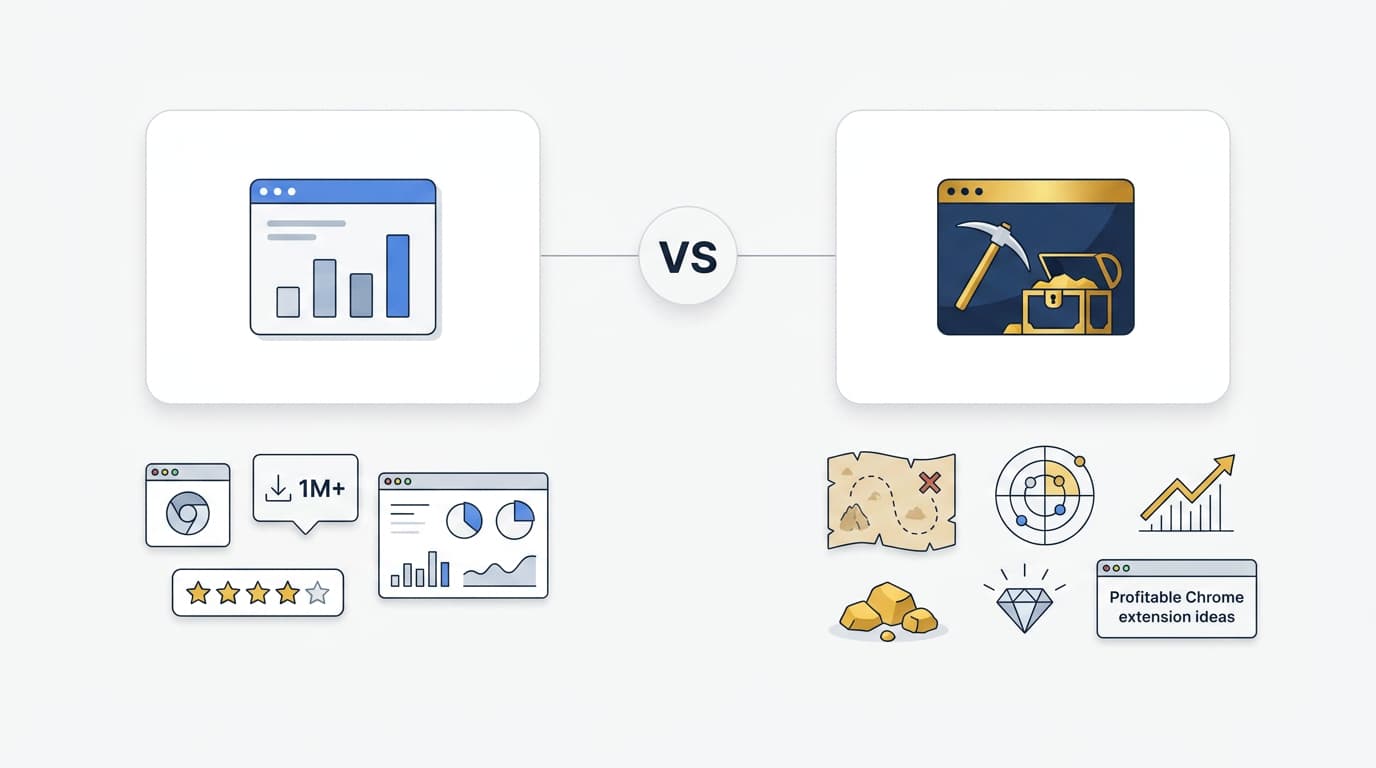
Chrome Stats helps you see what's happening with active extensions. Chrome Goldmine helps you find and validate the next one to build.
What Is Chrome Stats (chromestats.com)?
Chrome-Stats is a comprehensive analytics and tracking platform founded around 2020. It crawls the Chrome Web Store (plus Edge, Firefox, Android, and even Apple App Store data) to provide:
- Historical user count, rating, and review trends (1 year on Pro, 3 years on Premium)
- Keyword and category ranking history
- Competitor side-by-side comparisons with historical context
- Risk/safety scores and fake review detection
- Source code analysis, diffing, and inspection
- Daily/weekly update notifications via email or Slack
- Advanced search and filtering across 265,581+ Chrome extensions and 71,740+ themes (plus millions of mobile apps)
Pricing (as of mid-2026):
- Free: Limited to tracking 1 extension/app. Basic current stats only. No deep history, no advanced features.
- Pro: $14.99/month (or ~$7.50/month billed yearly with 50% off) — Unlimited tracking, 1-year historical data, source code tools, risk analysis, side-by-side comparisons, ad-free, basic API.
- Premium: $49.99/month (or ~$25/month yearly) — 3-year historical data, raw CSV exports, full API access (10k requests/day).
- Enterprise: $299/month+ — Unlimited API, team management, direct database access.
Strengths of Chrome Stats:
- Best-in-class for monitoring live extensions and competitors in real time.
- Excellent historical trend visualization — see exactly when an extension started declining or spiking.
- Useful safety/risk layer for users and developers evaluating what to install or compete with.
- Multi-platform coverage (Chrome + Edge + Firefox + mobile) is genuinely valuable if you operate across ecosystems.
- The Chrome extension they offer for instant stats on any Web Store listing is a nice quality-of-life feature.
Limitations & Where It Falls Short for Most Indie Makers: Chrome Stats is primarily a rear-view mirror. It tells you what *has* happened to active extensions. It does not:
- Surface *expired* or abandoned extensions with remaining demand signals.
- Provide revenue estimates or monetization benchmarks tailored to revival plays.
- Score rebuild difficulty or MV3 migration effort.
- Identify specific competitor gaps or unique selling points you could own.
- Give you step-by-step launch or migration playbooks.
- Filter for "high-potential opportunities" using weighted criteria like demand + revenue potential + ease + gap size.
You still have to do the heavy strategic work yourself: scraping data, cross-referencing reviews for pain points, estimating revenue from user counts using generic benchmarks, manually checking Manifest V3 compatibility, and building your own launch plan. For a solo founder or small team, that can easily consume 40–80+ hours per serious idea. (Directory-only tools like Built That Extension's raw CSV or ExtensionDB's broad index give you the raw list but none of the research layers — Chrome Goldmine is the only one that pre-packages the analysis.)
In short: Chrome Stats is outstanding if you already have an extension live and need to optimize it or spy on rivals. It is less ideal as your primary tool for discovering and de-risking new launches.
What Is Chrome Goldmine?
Chrome Goldmine is a curated, research-first database built specifically for indie makers and vibe coders who want to launch (or relaunch) profitable Chrome extensions without starting from zero every time.
It contains 9,656 expired or abandoned extensions that previously showed strong profitability signals (user counts, ratings, review velocity, category benchmarks). Each entry includes a full set of 12 data points:
- User count / install base at peak or delisting
- Star rating & review count
- Category & niche positioning
- Rebuild difficulty score
- Primary revenue model (freemium, subscription, one-time, ads, etc.)
- Estimated annual revenue range (benchmarked against similar live extensions)
- Competitor analysis & market gap identification
- Key selling points & unique value props from the original
- MV3 readiness / migration notes
- Goldmine Score (weighted: Demand 35%, Revenue benchmark 25%, Rebuild ease 20%, Competitor gap 20%)
- Supporting signals from GitHub, Product Hunt, Reddit pain threads, and domain availability
- Actionable launch notes & recommended tech stack shortcuts (e.g., Plasmo + React 19 boilerplate such as TurboStarter)
Additional powerful features:
- Interactive Notion database — filter by revenue potential, difficulty, Goldmine Score, category, etc.
- Full CSV export for Airtable, Excel, or custom workflows.
- AI Prompt Studio — describe your skills or preferred niche ("low-effort AI productivity tool") and get matched to top opportunities.
- Live Scanner — real-time monitoring across Chrome Web Store delistings, GitHub graveyards, Product Hunt sunsets, Reddit pain mining, and premium domain drops.
- Revenue Simulator — project MRR/ARR and user growth curves based on realistic benchmarks.
- 8-Week Playbook — detailed timeline from validation to $1K MRR, including Product Hunt launch tactics, Reddit outreach to ex-users, cold email templates, and retention optimization.
- Quick Start Guides — MV3 migration, monetization setup (Stripe, premium models, or all-in-one auth + billing via Outseta), domain claiming, and more.
- Quarterly database updates + lifetime access.
Pricing: One-time payment of $29 (currently $23.20 during launch window with 20% off). Includes lifetime updates, 30-day money-back guarantee, and everything above. No subscriptions.
Why the "more recent data" advantage matters: While Chrome Stats provides excellent automated historical tracking on *active* extensions, Chrome Goldmine delivers human-curated, opportunity-specific research updated for 2026 realities. The team spent 200+ hours building the initial dataset and continues quarterly refreshes. This includes fresh analysis of MV3 migration friction, current retention/WAU signals that actually move rankings today, emerging AI-adjacent niches, and competitor gaps that automated crawlers often miss because they don't weigh "rebuild feasibility + demand persistence" the way a builder would.
The Live Scanner adds a layer of recency that pure historical databases lack — new high-signal opportunities surface in near real-time.
Chrome Stats vs Chrome Goldmine: Head-to-Head Comparison
| Criteria | Chrome Stats | Chrome Goldmine | Clear Winner for Most Indie Makers |
|---|---|---|---|
| Primary Strength | Historical tracking & competitor monitoring | Pre-researched revival opportunities + launch playbooks | Goldmine (for idea-to-launch) |
| Data Points per Extension | Trends in users, ratings, rankings, risk scores | 12 curated points incl. revenue est., gaps, difficulty, MV3 | Goldmine |
| Scope | 265k+ active extensions + apps, multi-browser | 9,656 high-signal *expired* opportunities | Stats (breadth), Goldmine (depth) |
| Actionability for New Launches | Low — you do the analysis | Very High — gaps identified, playbooks included | Goldmine |
| Revenue Estimation | Indirect (infer from user trends) | Direct benchmarks + simulator | Goldmine |
| MV3 / 2026 Readiness Focus | General data; you interpret | Explicit per-extension notes + migration guides | Goldmine |
| Pricing Model | Recurring ($15–50+/mo) | One-time ($23.20–$29) + lifetime updates | Goldmine (long-term cost) |
| Best Use Case | Optimize & monitor live extensions | Discover, validate & launch new (or revived) ones | Depends on stage |
| Recency & Fresh Opportunities | Excellent automated daily updates on active | Curated research + Live Scanner for new signals | Goldmine for new ideas |
| Learning Curve / Time to Value | Medium (powerful but broad) | Low (filter, read 12 points, follow playbook) | Goldmine |
| Risk of "Shiny Object" Trap | High (endless dashboards without clear next step) | Low (pre-filtered for high Goldmine Score ideas) | Goldmine |
Key takeaway from the table: If your primary goal is monitoring and optimizing existing extensions, Chrome Stats is the superior specialized tool. If your goal is finding, validating, and shipping profitable new extensions (especially smart revival plays), Chrome Goldmine's depth, actionability, and one-time pricing make it the stronger investment for the majority of indie makers and solo builders in 2026.
Common Mistakes Indie Makers Make With These Tools (and How to Avoid Them)
Even great tools can't save you from bad process. Here are the most frequent pitfalls we see:
1. Using only broad historical stats without gap analysis. Many builders look at a popular extension's user curve on Chrome Stats and think "I can build something similar." Without checking *why* it succeeded or failed, what competitors are doing *right now*, and whether a meaningful gap exists, you often end up with a me-too product that struggles to rank. Chrome Goldmine forces this analysis upfront via the competitor gap and Goldmine Score fields.
2. Ignoring Manifest V3 migration reality in 2026. Any revival or new build must be MV3-native. Stats shows you performance data but doesn't flag migration difficulty per idea. Goldmine explicitly scores this and provides migration notes.
3. Over-relying on "high user count" as a proxy for opportunity. An extension with 500k users that is still actively maintained is very different from one with 80k users that was abandoned 20 months ago and whose domain is available. Goldmine filters for the latter and layers in retention signals and review sentiment.
4. Treating research as a one-time event. Chrome Stats' strength is continuous monitoring. Goldmine's Live Scanner and quarterly updates acknowledge that the opportunity landscape shifts. The winning workflow uses both: Goldmine to pick and validate, Stats (or its free tier + Web Store itself) to monitor post-launch.
5. Underestimating time-to-launch friction. Even with perfect data, shipping requires a plan. Goldmine's 8-week playbook and tech stack recommendations directly address this. Stats leaves you to figure out Product Hunt strategy, ex-user outreach, and retention optimization yourself.
Edge case nuance: If you already run a portfolio of live extensions and your bottleneck is competitive intelligence + performance tracking, the Premium tier of Chrome Stats can pay for itself quickly. For the "what should I build next?" phase that most indie makers live in, starting with Goldmine is dramatically more efficient.
How Much Time and Money Do These Tools Actually Save? (ROI Analysis)
Let's get concrete with realistic assumptions for a solo indie maker or small team.
Assumptions Box (transparent modeling):
- Your time is worth $50/hour (conservative for skilled developers in 2026).
- A serious idea validation + basic competitor research project takes 40–80 hours when done manually.
- Average successful niche Chrome extension can reach $300–$1,500 MRR within 6–12 months with good execution (right-tail outcomes exist but we model conservatively).
- Goldmine users report finding 3+ strong ideas in the first 20–30 minutes of exploring the database (based on buyer feedback).
- Chrome Stats Pro costs ~$180/year; Premium ~$600/year.
- Goldmine is $23.20 one-time.
ROI Comparison Table (per idea validated & launched)
| Metric | Using Chrome Stats (Pro) + Manual Work | Using Chrome Goldmine | Net Advantage with Goldmine |
|---|---|---|---|
| Time to validate 1 high-potential idea | 40–80 hours | 2–8 hours (filter + review 12 pts + playbook) | 32–72 hours saved |
| Monetary cost of research phase | $2,000–$4,000 (time) + $180/yr sub | $23.20 one-time | ~$2,000–$4,000 saved |
| Revenue estimation accuracy | Medium (generic benchmarks) | High (category-specific + simulator) | Higher confidence to proceed |
| Probability of spotting real gaps | Medium (you must dig) | High (pre-identified per entry) | Faster unique positioning |
| Time from idea to launch plan | Additional 10–20 hours | Included in playbook | 10–20 hours saved |
| 12-month projected outcome | 1–2 ideas validated & launched | 3–5 ideas validated; 1–2 launched with higher confidence | More shots on goal |
Realistic 12-month scenario: An indie maker using primarily Chrome Stats + manual research might validate and launch one solid extension per year after heavy time investment.
The same maker using Chrome Goldmine can explore the full opportunity set in days, shortlist 5–10 high Goldmine Score ideas, deep-dive the top 2–3, and have a validated launch plan (with MV3 notes and ex-user outreach strategy) in under two weeks. Even if only one launches successfully, the time and opportunity cost savings are substantial — and the one-time price means future ideas cost essentially $0 in tooling.
Many buyers report the competitor analysis and revenue estimates alone were "worth 10× the price" because they de-risked decisions that would otherwise have taken months of guesswork.
Is Chrome Stats Enough If You Want to Launch New Extensions in 2026?
Short answer: No — not by itself.
Chrome Stats gives you excellent visibility into *what already exists and how it's performing*. That is necessary but not sufficient for the "what should I build?" and "will this actually make money?" questions that keep most indie makers up at night.
You still need to:
- Identify *which* problems have proven demand but weak current solutions (especially abandoned ones).
- Estimate realistic revenue using more than raw user counts.
- Assess technical rebuild effort (MV3, modern frameworks, monetization integration).
- Map specific competitor weaknesses you can exploit.
- Build a launch and retention plan that accounts for 2026 realities (semantic search, review velocity, WAU importance).
Chrome Goldmine was built to answer exactly those questions at scale. The 12 data points and supporting tooling compress what used to be months of scattered research into hours.
Pro tip for power users: Use both. Start in Goldmine to pick and validate your next idea. Once you launch, add it (and key competitors) to Chrome Stats for ongoing performance tracking and iteration. They are complementary, not direct substitutes.
Why 12 Data Points Per Extension (and the Goldmine Score) Matter More Than Raw Historical Charts in 2026
Raw numbers without context are dangerous. An extension showing 200k users on a trend chart could be:
- A healthy, growing product you shouldn't try to clone.
- A declining one whose users are actively frustrated (review mining goldmine).
- An abandoned one whose domain and user base are up for grabs.
The 12 data points in Chrome Goldmine add the missing strategic layer:
- Goldmine Score weighting forces prioritization: high demand + decent revenue benchmark + low rebuild difficulty + large competitor gap = green light.
- Competitor gap analysis tells you *why* you might win (missing features, poor UX, outdated monetization, no MV3 version, weak marketing).
- Rebuild difficulty + MV3 notes prevent nasty surprises after you've already invested weeks.
- Revenue model + estimates ground your financial projections in real category benchmarks instead of hope.
- Supporting signals (Reddit pain, GitHub stars, domain drops) add qualitative validation that pure quantitative tools miss.
In a world where Google’s ranking signals increasingly reward retention, review quality, and semantic relevance over raw installs, having this pre-digested context is a massive unfair advantage.
The Smartest Workflow for Indie Makers in 2026
- Discovery & Validation Phase (Chrome Goldmine): Spend a weekend filtering high Goldmine Score ideas in your skill/interests niche. Review the 12 points, run the revenue simulator, read the competitor gaps and playbook. Shortlist 2–3.
- Deep Technical & Market Validation (Optional light Stats + manual): Spot-check historical trends of similar *active* extensions. Validate domain availability and any trademark issues.
- Build & Launch (Goldmine playbooks + your stack): Follow the 8-week timeline. Use MV3 migration guides. Leverage ex-user outreach templates — paired with a Reddit-mining tool like RedShip to find frustrated users actively searching for replacements.
- Post-Launch Optimization (Chrome Stats + Web Store analytics + GA4): Track your own rankings, user growth, and key competitors. Iterate on retention and review velocity.
- Next Idea (back to Goldmine): Repeat. The database and Live Scanner keep feeding you fresh opportunities.
This hybrid approach maximizes the strengths of both tools while minimizing their individual weaknesses.
FAQ: Chrome Stats vs Chrome Goldmine
Is Chrome Stats completely free? No. The free plan is very limited (1 extension tracking, no historical depth, no advanced features). Most serious users need at least the Pro plan ($14.99/mo or cheaper yearly).
How recent is the data in Chrome Goldmine compared to Chrome Stats? Chrome Stats offers excellent automated daily/weekly updates on *active* extensions with up to 3 years of history on Premium. Chrome Goldmine provides deeply researched, human-curated analysis on *expired high-potential opportunities*, refreshed quarterly with a Live Scanner for emerging signals. For revival plays and new idea discovery, Goldmine's research is more recent and purpose-built for 2026 decision-making.
Can I use Chrome Goldmine to track my own live extension's performance? No — Goldmine is focused exclusively on expired/abandoned opportunities and pre-launch research. Once your extension is live, pair it with Chrome Stats (or the free Web Store + GA4) for performance tracking.
Is rebuilding an expired extension ethical or legal? Focus on solving the same user problem *better* with modern tech (MV3, better UX, stronger retention). Many abandoned extensions have available domains and no active maintenance. Always respect original IP, avoid cloning protected assets, and add genuine value. The goal is to serve users who were left behind when the original died — not to parasitize.
How long does it take to see results with Chrome Goldmine? Most buyers report finding multiple promising ideas within the first hour. Full validation of a shortlist takes a few days to a week. Actual launch timelines vary, but the included 8-week playbook gives a realistic structured path to first revenue.
Which tool should I buy first if I'm just starting out? Start with Chrome Goldmine. The one-time price and immediate access to validated opportunities will accelerate your first (or next) launch far more than a monitoring tool when you don't yet have something live to monitor.
Final Verdict: Chrome Goldmine Wins for Most Builders Seeking to Launch in 2026
Chrome Stats is a legitimate, well-built analytics platform that many extension developers rely on for competitive intelligence and performance tracking. If monitoring is your main need, it's worth considering (start with Pro).
However, if your goal is to find profitable Chrome extension ideas, validate them quickly with real data, and launch with a plan — especially smart revivals of abandoned extensions that still have user demand — Chrome Goldmine is the clear winner for indie makers and vibe coders.
Its combination of:
- 12 purpose-built data points per opportunity
- More recent, builder-focused research and quarterly updates
- Actionable playbooks and tools that compress months of work
- One-time affordable pricing with lifetime access
...directly addresses the biggest bottlenecks in the extension building process today.
The browser extension gold rush isn't over — it's just moving to the builders who can move fastest from signal to shipped product while everyone else is still scrolling dashboards. (For broader SaaS idea discovery or AI coding prompts, see our ProvenTools comparison; for a 130K+ web-tool catalogue, see NicheTools vs Chrome Goldmine.)
Ready to stop researching and start launching?
Get Chrome Goldmine now for $23.20 (launch pricing) — lifetime access, 30-day guarantee, full database + all tools included.
Explore 9,656 pre-researched opportunities. Filter by your skills. Validate with real benchmarks. Ship with a plan.
Your next extension (or revival) is waiting in the database.
Related reading: compare your monetization plan against real Chrome extension revenue benchmarks, and follow our playbook to revive an expired Chrome extension with Manifest V3.