








Chrome Extension UX & Retention: How Indie Makers Build Extensions Users Keep Using
Learn how better Chrome extension UX improves retention, trust, and revenue, with case studies, ROI ranges, and practical playbooks for indie makers.
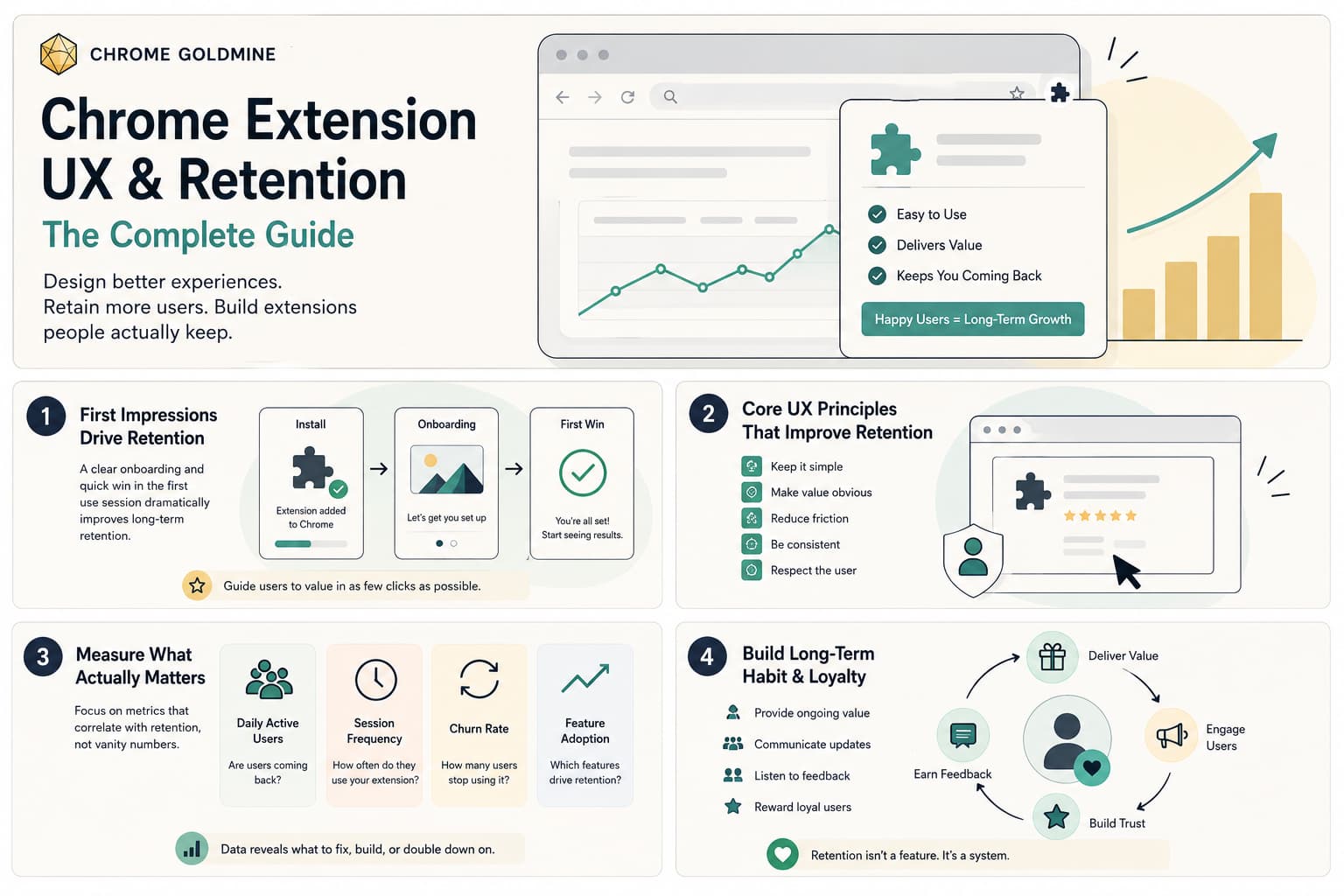
Chrome extension UX and retention are inseparable. If your extension is hard to trust, hard to understand, or easy to forget, users will install it once and never come back. For indie makers, that means the real opportunity is not just shipping a clever idea. It is designing a browser workflow that delivers value fast, earns trust early, and becomes part of the user's daily routine.
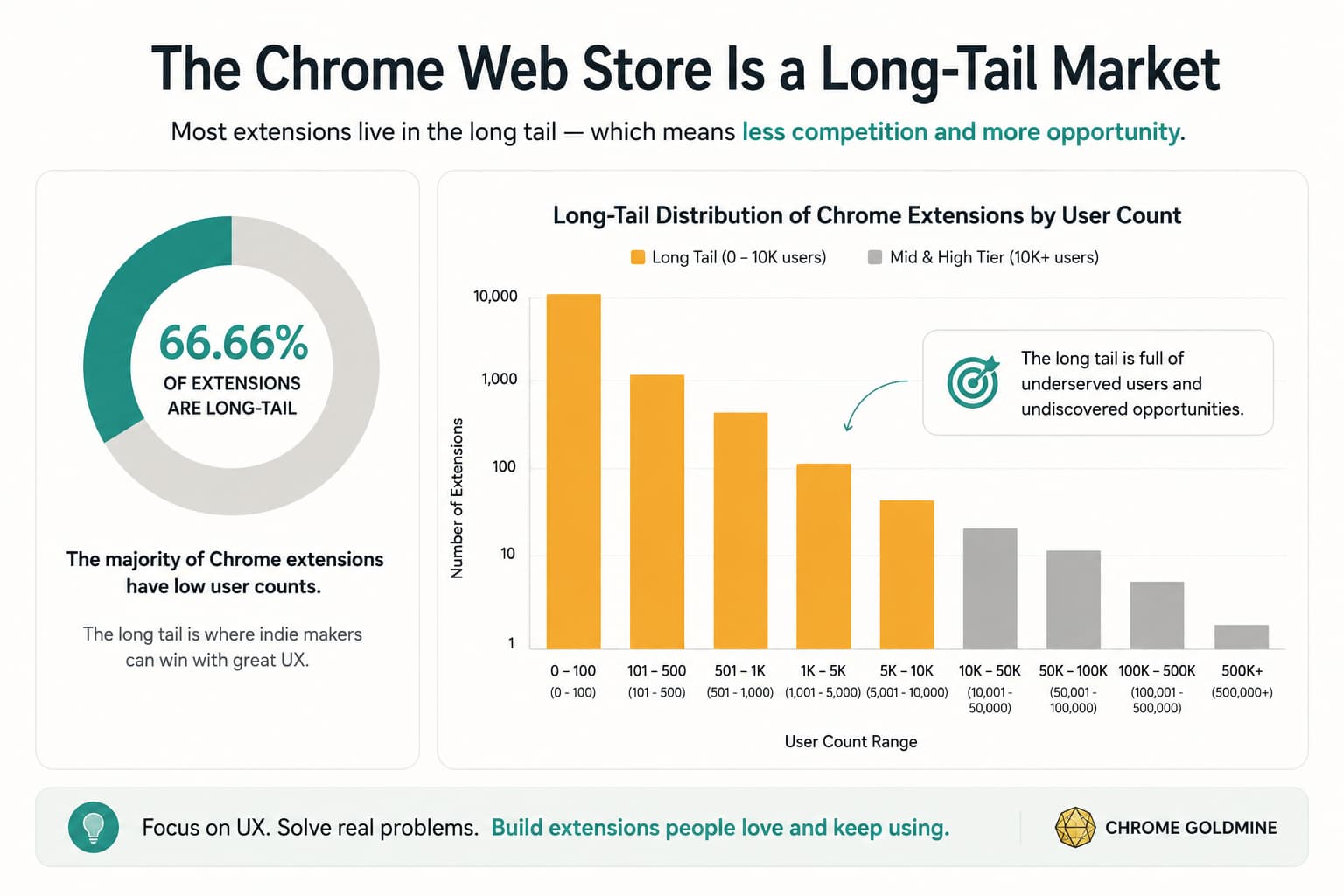
That opportunity is bigger than it looks. Chrome still controls 66.69% of global browser market share (StatCounter, 2026), and the Chrome ecosystem reaches billions of users worldwide (Cropink, 2026). Yet most extensions remain tiny. Backlinko's compiled dataset suggests 86.3% of Chrome extensions have fewer than 1,000 users (Backlinko, 2026). In other words, discoverability is crowded, but durable usage is rare. That is exactly why Chrome extension UX & retention deserves a full strategy, not a few visual tweaks.
For indie makers, this matters even more. You rarely win on brand budget, paid acquisition, or enterprise sales. Instead, you win by solving a painful browser workflow with less friction than anyone else. When you improve onboarding, reduce scary permissions, place your UI where work already happens, and handle updates without breaking trust, you improve activation and retention together. That is how a small extension becomes a real micro-SaaS, not just another Chrome Web Store listing.
What Is Chrome Extension UX and Why Does It Matter for Retention?
Chrome extension UX is not just about how your popup looks. It includes the full experience from store listing to install, first use, repeat use, update, privacy expectations, and recovery when something goes wrong. In practice, that means your UX starts before a user even clicks Add to Chrome.
Google's own guidance makes this clear. The company says high-quality extensions should meet standards for compliance, performance, security, and user experience (Chrome for Developers, 2017). That is important because many makers still treat UX as the "nice" layer that comes after the feature works. In extensions, UX is closer to infrastructure. If users do not understand the value, fear the permissions, or lose confidence after an update, the product fails even when the code works.
Browser extensions also behave differently from normal SaaS products. A web app can rely on navigation, account flows, and repeated visits to build habit. A browser extension often has seconds to prove itself. It may live in the toolbar, inside a side panel, or directly inside a third-party product such as Gmail, LinkedIn, Notion, or Google Meet. Plasmo highlights this difference well: extension UX spans multiple views and often runs inside interfaces you do not control (Plasmo, 2022). That means retention depends on reducing the gap between user intent and useful action.
For an indie maker, that gap is the core product question. If your extension helps a recruiter summarize LinkedIn outreach, a founder capture pricing data, or a marketer automate repetitive research, the user should feel value almost immediately. The closer your experience sits to that workflow, the stronger your retention loop becomes.
What Makes Chrome Extension UX Retention Better in 2026?
The best Chrome extension UX in 2026 does not feel flashy. It feels obvious. Users install the extension, understand what it does, trust what it asks for, use it without hunting for it, and keep benefiting from it across sessions.
A strong retention-oriented extension usually gets five things right. First, it sets expectations early through a clear store listing. Google recommends onboarding users as soon as they reach the listing by using screenshots and video to show how the extension works (Chrome for Developers, 2017). Second, it keeps permissions minimal and contextual. Google's permission warning guidance says users are more likely to install extensions that request only relevant permissions, use optional permissions, and use `activeTab` when appropriate (Chrome for Developers, 2024). Third, it drives immediate activation after install. Fourth, it stays close to the workflow it improves. Fifth, it avoids breaking trust during updates.
This is also where E-E-A-T matters. A high-authority article cannot pretend retention comes from a magic trick or a viral launch. Real retention comes from product clarity, user trust, and repeated usefulness. That means your strategy should combine official platform guidance, credible market evidence, and practical product experience.
Here is the most useful way to think about it.
| Retention Lever | UX Question | Why It Matters |
|---|---|---|
| Expectation | Does the user know what will happen before install? | Reduces misleading installs and early churn |
| Trust | Do permissions, privacy, and login requests feel justified? | Lowers abandonment during install and first use |
| Activation | Can the user reach first value within minutes? | Improves Day 1 retention |
| Habit | Is the extension easy to access again? | Increases repeat usage and WAU |
| Reliability | Do updates preserve continuity? | Prevents silent churn after release |
If you are evaluating Chrome extension ideas, this framework is more useful than brainstorming features. It tells you whether an idea can become a repeat-use product rather than a novelty.
The Four Moments That Decide Whether Users Stick Around
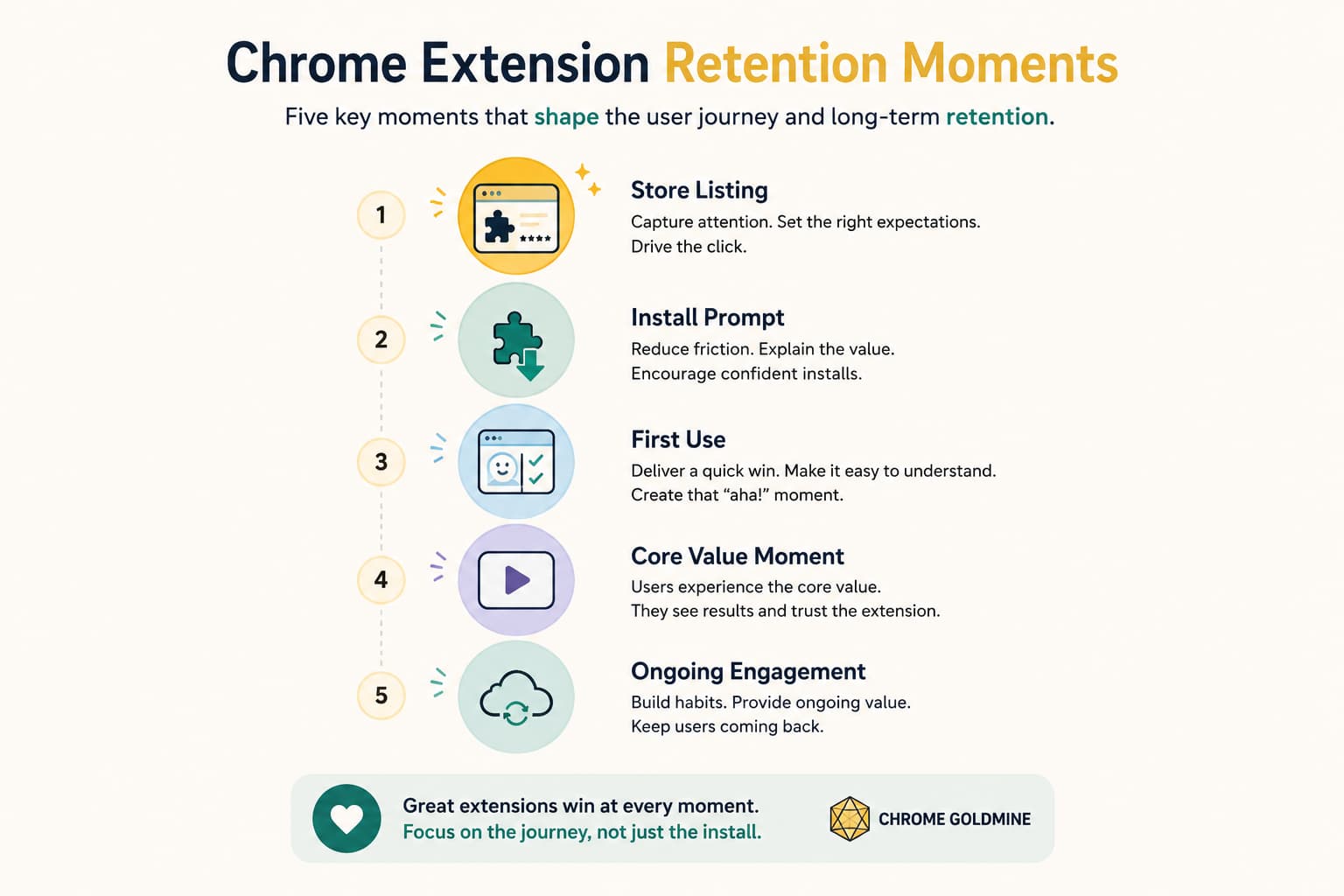
Retention is usually decided earlier than makers expect. In extensions, four moments matter most: the listing, the install prompt, the first-use flow, and the repeat-use loop.
1. The Store Listing
Your store listing is part of your product. Google explicitly says its purpose is to set the user's expectations and communicate what the extension does (Chrome for Developers, 2017). If the listing oversells the value or hides the workflow, you may get more installs but lower activation.
That means your listing should do three jobs. It should explain the job-to-be-done, show the extension in context, and make the first step feel safe. A vague line such as "supercharge your browsing" is weak. A clearer promise such as "summarize Google Meet calls and save action items automatically" gives the user a concrete use case.
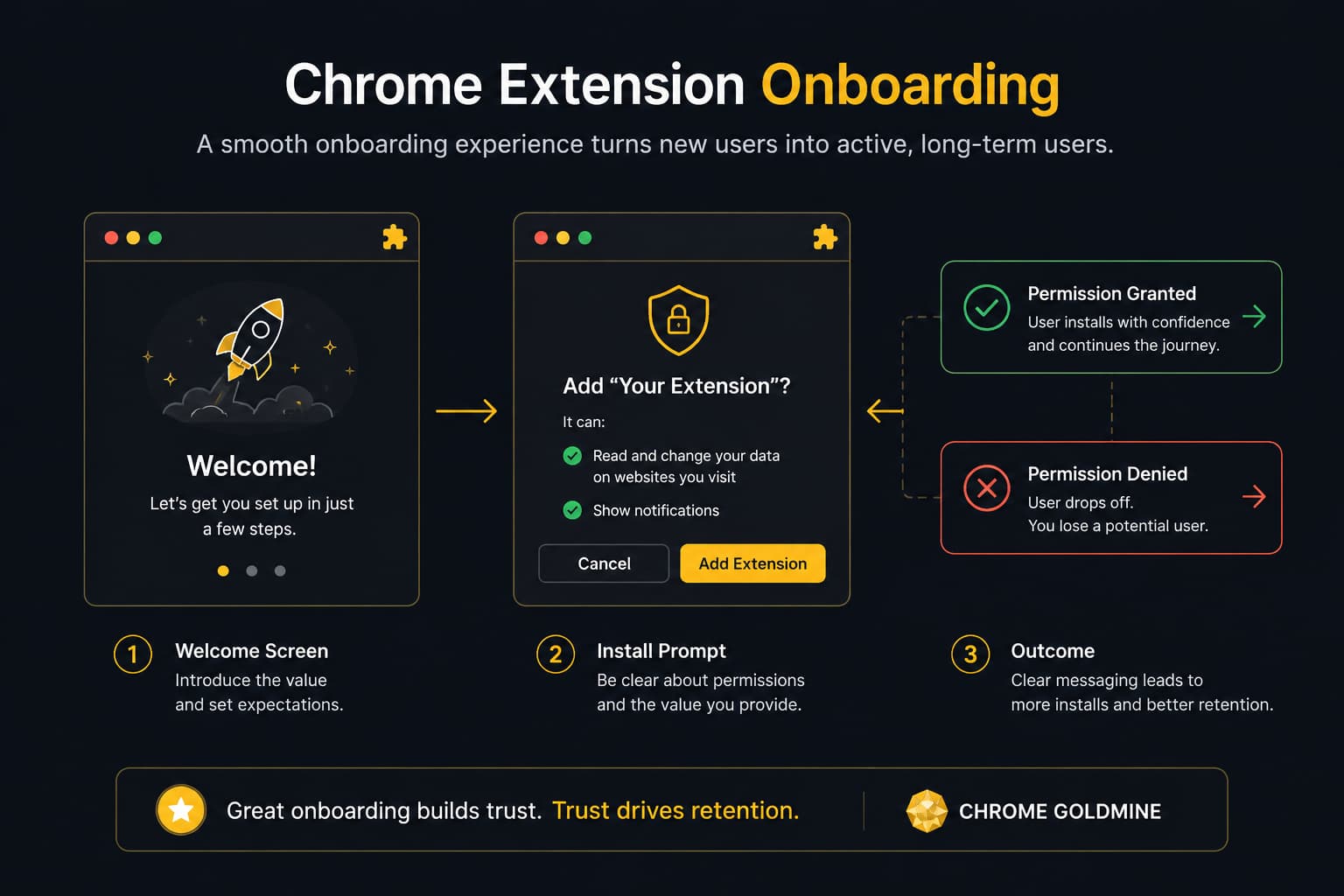
2. The Install Prompt
Permission prompts are often the first trust test. Google warns that some permission requests display warnings and can affect install conversion (Chrome for Developers, 2024). If you request broad permissions with no clear context, users assume risk. If you request permission exactly when a feature needs it, they can connect the ask to a benefit.
3. The First-Use Experience
This is where many indie makers lose momentum. The user installs the extension, but nothing meaningful happens. They do not know whether to pin it, open it, connect an account, or visit a supported site. A retention-oriented first-use flow should answer one question immediately: What useful result will I get right now?
4. The Repeat-Use Loop
Plasmo recommends guiding users to pin the extension because that increases usage and retention by preventing the product from being hidden away (Plasmo, 2022). Hotkeys can do the same for expert users. The repeat-use loop should also feel native to the task. If the product helps with Gmail, the best place to surface value is often inside Gmail rather than in a detached popup.
How to Design a Chrome Extension Onboarding Flow That Users Actually Finish
A good onboarding flow does not explain every feature. It gets the user to first value before attention disappears. That is especially important in browser productivity tools because installation is easy, but commitment is low.
Google recommends starting onboarding at the listing itself through screenshots and video (Chrome for Developers, 2017). That advice is more powerful than it sounds. When users know what the interface looks like and where value appears, they are more likely to continue after install. Your onboarding should feel like a continuation of the promise, not a new puzzle.
The first screen after install should focus on a single action. If your extension works on a specific site, open that site or guide the user there. Plasmo calls out this pattern directly: if the extension automates LinkedIn, bring the user into LinkedIn and show the next step from inside the product context (Plasmo, 2022). In other words, show, do not describe.
The second principle is to separate required setup from optional depth. If you need login, keep it simple. Google specifically recommends Sign in with Google when login is required, because many Chrome users are already signed in and can move through the flow with less friction (Chrome for Developers, 2017). That is not only a conversion tactic. It is a trust tactic.
The third principle is permission timing. Google's permission warning guidance strongly supports optional permissions at runtime so users get context around the request (Chrome for Developers, 2024). This matters because a feature-based permission ask feels reasonable, while a blanket install-time request feels invasive. For example, requesting access only when a user wants to scrape the current page is easier to justify than requesting broad access before the user has seen any value.
A practical onboarding flow often looks like this:
| Step | User Sees | Retention Goal |
|---|---|---|
| Listing | Clear promise, screenshots, short video | Pre-qualify installs |
| Install success | Welcome page with one primary action | Reduce confusion |
| Pin prompt | Visual guide to pin extension | Improve future access |
| First value action | Demo or real task completed in context | Increase activation |
| Permission request | Contextual ask tied to feature | Preserve trust |
| Follow-up nudge | Short prompt after repeated use | Encourage habit or review |
One of the most useful lessons from the documented dev.to growth story is that retention improved when the maker redesigned onboarding and removed friction during the "dead zone" between 50 and 200 users (dev.to, 2026). That is a reminder that onboarding is not a launch asset. It is a growth system.
If you are exploring whether to validate Chrome extension ideas before building a full app, onboarding becomes a diagnostic tool. If real users cannot understand your first-use flow, you do not have a retention problem yet. You have a positioning problem.
How Much Can You Actually Earn from Better Chrome Extension Retention?
This is the question most indie makers care about, and the honest answer is that retention multiplies monetization far more reliably than raw install volume.
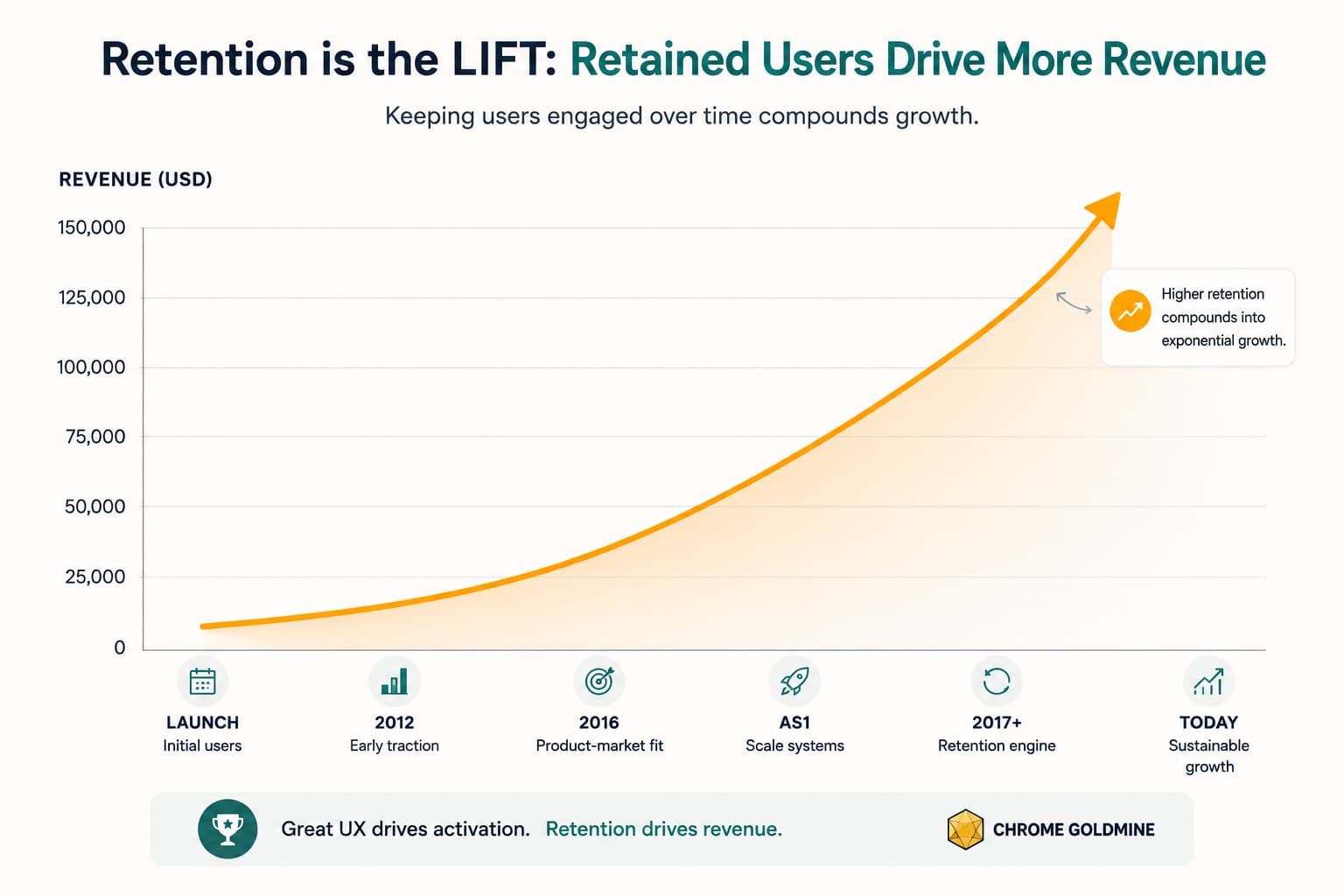
Consider the case studies. GMass grew into a business generating about $5.4 million per year (Starter Story, 2026). Mate Translate reportedly reached $18,000 per month and 800,000 users (Starter Story, 2026). Bluedot reached $1.5k MRR with 500 daily active users and 50% monthly growth within about two months (Starter Story, 2026). On a smaller scale, the dev.to utility extension reached 1,000 users in 8 months and disclosed 82% retention after improving onboarding, prompts, and store optimization (dev.to, 2026).
None of these stories prove that retention alone creates revenue. However, they do show that repeated usage and trust are prerequisites for monetization. If a user never forms a habit, they never become a subscriber, a loyal free user, or a qualified lead for a paid workflow.
Is Chrome Extension UX & Retention Worth Your Time as an Indie Maker?
Yes, if the workflow is painful, repeatable, and close to a browser task. No, if the product is a novelty, a one-time trick, or a generic wrapper around existing functionality.
The table below uses transparent ranges rather than invented precision.
| Time Investment (hours) | Monetary Investment ($) | Expected Outcome (range) | Assumptions |
|---|---|---|---|
| 40–80 hours | 50–300 | 50–200 active users | Narrow MVP, basic listing, solo maker, free or low-cost tooling |
| 80–160 hours | 150–800 | 200–1,000 users or early revenue validation | Strong onboarding, contextual permissions, one clear workflow, early content/SEO |
| 160–300 hours | 300–2,000 | $500–$3,000 MRR or equivalent lead value | Product tied to painful workflow, pricing tested, retention instrumentation in place |
| 300+ hours | 1,000–5,000+ | $3,000+ MRR potential, acquisition interest, or niche authority | Team support or sustained solo execution, stable update pipeline, trust and activation optimized |
Assumptions — These numbers are estimates, not guarantees. They are based on documented founder case studies, typical indie maker build costs, and retention-sensitive extension economics from the sources cited in this article. They assume you solve a real workflow problem, not a novelty use case.
This is also where a curated dataset can save time. Instead of manually guessing which categories still have room, you can use Chrome Goldmine as a shortcut to identify niches, historical patterns, and overlooked extension opportunities before you spend weeks building the wrong thing. That is especially useful if you are comparing expired extensions, abandoned categories, or workflow gaps that already proved demand once.
What Doesn't Work and Why Most Extensions Lose Users Early
If you want more trust in your content and product strategy, you need to say this plainly: most extensions do not fail because the market is too small. They fail because the experience is too weak to create a habit.
The most common failure pattern is unclear value. A maker builds an extension because the feature feels clever, but the user does not feel a strong before-and-after moment. The result is install curiosity followed by abandonment.
The second failure pattern is over-requesting permissions. Google warns that users are more likely to install extensions when permissions are relevant, optional where possible, and tied to a single purpose (Chrome for Developers, 2024). If your prompt feels broader than the value, users hesitate. Worse, if you later add a new permission that triggers a warning, Google notes that the extension may be disabled until the user accepts it (Chrome for Developers, 2024). That is not just a technical problem. It is a retention event.
The third failure pattern is UI distance. Plasmo advises builders to stay close to the software they extend and reduce the gap between the extension and the host product (Plasmo, 2022). If the action belongs in Gmail, putting it three clicks away in a popup creates friction every time. Friction compounds into churn.
The fourth failure pattern is shipping updates that break continuity. Plasmo points out that old content scripts do not simply disappear on update, new scripts do not automatically inject into old tabs, and client-side storage may require migration (Plasmo, 2022). Many makers treat release notes as marketing and forget that update reliability is part of UX. Users do not care why data vanished. They just stop trusting the tool.
The fifth failure pattern is skipping validation. The dev.to case study suggests the maker did not grow steadily until onboarding and user flow issues were fixed during the early plateau (dev.to, 2026). That is common. You can spend months polishing features that do not matter if you never test the first-use loop with real users.
If you want an honest failure story, it is this: plenty of indie makers build browser tools that look promising on launch day and then stall because nobody designed the second session. That is the retention cliff. The first session proves curiosity. The second proves value.
The Retention Stack for Indie Makers: Tools, Metrics, and Feedback Loops
You do not need a huge stack to improve retention, but you do need instrumentation. Without it, you are guessing at why users disappear.
A practical stack for extension-led micro-SaaS usually includes five layers: analytics, feedback, billing, testing, and privacy/trust operations.
| Layer | Recommended Tool | Why It Helps Retention |
|---|---|---|
| Analytics | Plausible or product analytics of choice | Tracks landing-page and acquisition behavior without adding unnecessary complexity |
| Feedback | Hotjar on web onboarding flows | Identifies confusion on signup, pricing, or activation pages |
| Billing | Stripe or Paddle | Lets you test monetization without building custom payment infrastructure |
| Testing | Puppeteer or equivalent E2E flows | Helps catch onboarding, login, and update regressions before they damage trust |
| Framework | Plasmo | Speeds iteration on browser-extension UX and release workflows |
The key is not the tool itself. It is the metric you attach to it. For Chrome extension UX & retention, the most useful metrics are usually install-to-first-action rate, first successful outcome rate, Day 1 return, weekly active users, permission acceptance rate, and churn after updates.
If you already run a content engine around extension opportunities, this is a strong place to use Chrome Goldmine as a research shortcut. It helps you narrow your market first, then measure whether users retain around that workflow.
A Practical Retention Playbook for Rebuilding or Launching an Extension
If you are launching a new extension or rebuilding a weak one, use this playbook.
First, define a painfully specific job-to-be-done. Do not start with "AI for browsing." Start with something like "save pricing tables from competitor pages into a structured sheet" or "generate follow-up email drafts from Gmail threads." Specificity improves onboarding, permission clarity, and repeat-use positioning.
Second, design the store listing as the first step of onboarding. Use screenshots that show the interface where work happens. Use a short demo video if the workflow is unfamiliar. Make the headline concrete. Show the before-and-after value.
Third, cut your permissions down to the minimum credible set. Use optional permissions when you can. Use `activeTab` when it fits the use case. Explain why a permission matters at the moment it unlocks a feature. This is how you turn trust into activation rather than friction.
Fourth, make the first-use flow task-based. Ask the user to complete one real action, not read a welcome essay. If your product depends on a supported site, take them there. If they need to pin the extension, show them how. If they need one piece of sample data, preload it.
Fifth, design your repeat-use trigger. That may be a pinned icon, a contextual button inside the page, a side panel, a keyboard shortcut, or a lightweight notification after a recurring event. The right trigger depends on the job, but the principle is constant: reduce the distance between need and action.
Sixth, protect continuity during updates. Test new permissions, storage migrations, and content script changes before release. Google and Plasmo both make it clear that update handling is not trivial (Chrome for Developers, 2024) (Plasmo, 2022). If you break a trusted workflow, you may never get that user back.
Seventh, instrument the loop. Track first value, second-session return, and churn after updates. A retention problem becomes fixable when you know where users drop.
Finally, keep validating demand. If you are searching for new Chrome extension ideas or comparing micro-SaaS opportunities, study categories with proven usage but weak execution. That is why curated opportunity research matters. The best products often come from improving trust, clarity, and usability in markets that already exist.
What Makes Chrome Extension UX Profitable in 2026?
Profitability in 2026 comes from alignment between three layers: demand, habit, and monetization. You need a workflow with recurring demand, a product experience that creates a habit, and a payment or value-capture model that fits how users consume the extension.
A browser extension becomes more profitable when it sits close to revenue-generating or time-saving work. That includes prospecting, ecommerce research, meeting intelligence, translation, support workflows, recruiting, and repetitive admin. These are the kinds of categories where users return because the extension removes friction from a task they already perform.
This also explains why retention is such an important SEO angle. Many posts talk about launching a Chrome extension. Fewer explain how to make one economically durable. If you want to build topical authority around extension businesses, you need to connect product mechanics to business outcomes. That is where this article can outperform shallow listicles and generic dev tutorials.
Can You Still Build a Successful Chrome Extension as a Solo Maker?
Yes, but solo success depends on constraint. The strongest solo-friendly extension businesses usually solve one narrow browser workflow very well. They avoid enterprise complexity early, keep permissions understandable, and use the extension either as the product itself or as the front-end wedge into a broader SaaS.
The case studies in this brief support that view. Mate Translate grew from a focused extension into a broader product, while GMass started from a concrete workflow inside Gmail (Starter Story, 2026). The lesson is not "be huge." The lesson is "be indispensable in context."
Continue Learning
- Learn how to build Chrome extensions from scratch with our complete indie maker guide
- Explore profitable Chrome extension niches to find the right market
- Discover monetization strategies to turn retained users into revenue
- Use vibe coding tools to ship faster with AI assistance
- Study expired Chrome extensions for validated rebuild opportunities
Conclusion
The core lesson is simple: Chrome extension UX & retention is not a design afterthought. It is the business engine behind activation, trust, monetization, and long-term product survival. Chrome's reach is massive, but the long tail of underused extensions shows that most builders never solve the habit problem.
If you want to stand out as an indie maker, stop asking whether your extension idea is clever enough. Ask whether the user can trust it, understand it, use it immediately, and return to it without effort. That is how you build authority, not just traffic.
And if you want a faster path to validated opportunities, use Chrome Goldmine as a research shortcut. It helps you move from vague inspiration to focused categories, overlooked workflows, and stronger extension bets you can validate before you sink months into development.
Choosing between idea databases, AI validators, and analytics tools? Our Chrome extension tool comparisons — including IdeaProof vs Chrome Goldmine and BigIdeasDB vs Chrome Goldmine — break down which tool fits which stage of the retention journey.