Chrome Extensions for Content Creators: YouTube, TikTok & Instagram
Top YouTube, TikTok, and Instagram Chrome extensions for creators, plus the $37B market opportunity for indie makers.
Article content
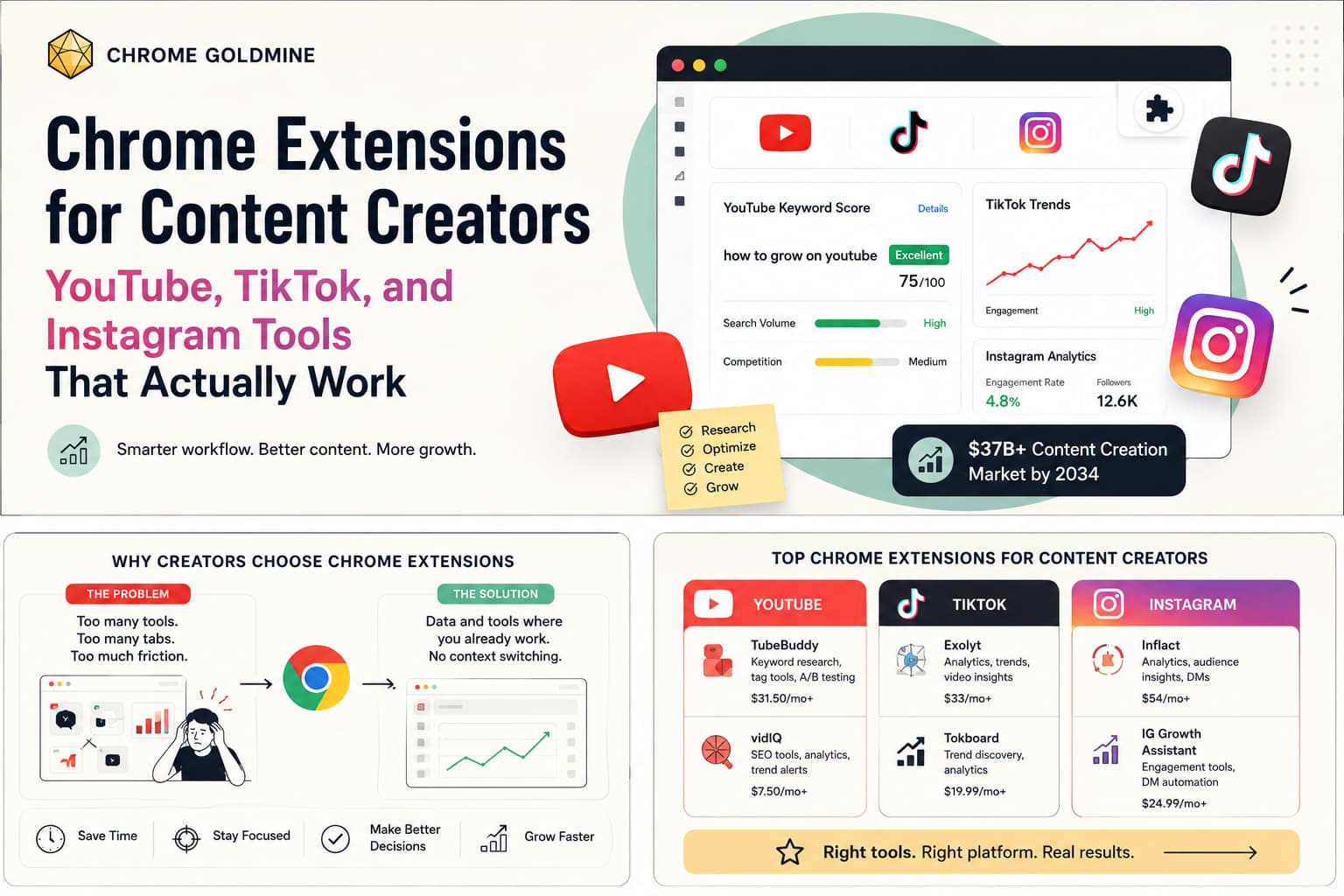
The best content creator chrome extension does one thing: it puts the right data or automation directly inside the platform you're already working in, without switching tabs or copying numbers between tools. That means a YouTube keyword research overlay that appears on the search results page, an Instagram analytics panel that loads inside your own profile, or a TikTok trend tracker that surfaces insights while you browse. Extensions that are embedded in context beat standalone tools for daily use because they eliminate the friction of the context switch.
The timing for this category is not subtle. The digital content creation market was valued at $37.28 billion in 2025 and is projected to reach $122.11 billion by 2034 at a CAGR of 14.09% (Fortune Business Insights, 2026). At the same time, the Chrome Extensions market is tracking its own parallel growth curve — from $2.5 billion in 2025 to $5.0 billion by 2033 at a 14.00% CAGR (HTF Market Intelligence, 2025). These two curves are not coincidental. They are converging, and the intersection is exactly the category this article covers.
This guide serves two audiences simultaneously. If you're a content creator on YouTube, TikTok, or Instagram looking for workflow extensions that give you a genuine edge, you'll find a curated breakdown by platform with real pricing and use-case specifics. If you're an indie maker asking whether building in this niche is worth your time, the case studies, ROI table, and failure analysis at the end give you the complete picture — including what works, what doesn't, and why the creator tools space rewards builders who go narrow and deep. For adjacent niche breakdowns, see the profitable Chrome extension niches pillar.
Why Content Creators Rely on Chrome Extensions Over Standalone Tools
Content creators have a workflow problem that conventional SaaS tools solve badly. Most tools for creators are dashboard-first: you log in, navigate to an analytics page, look at a number, then go back to the platform to act on it. The round trip is slow, the context is lost between tools, and the cognitive overhead compounds across a ten-task day.
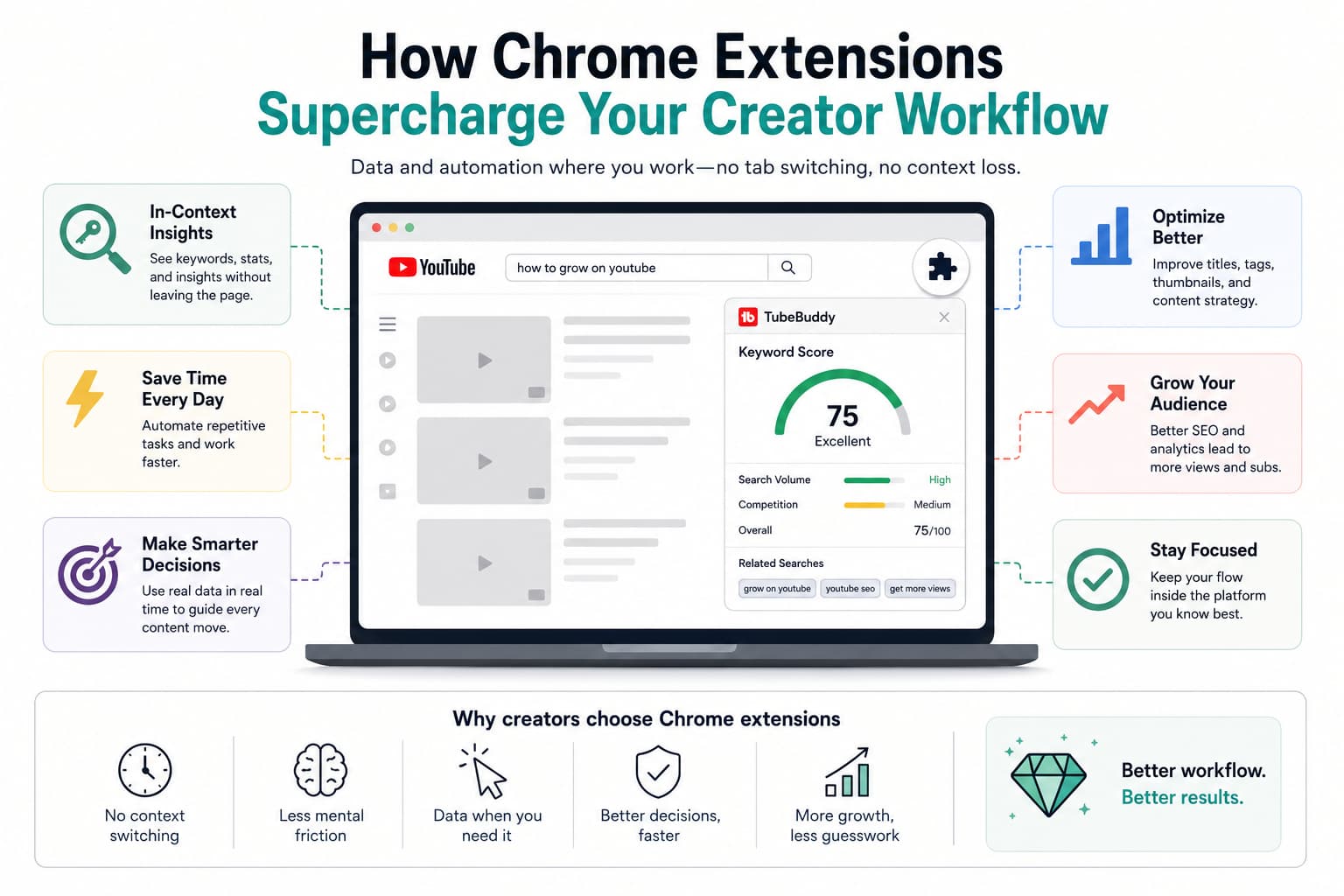
Chrome extensions solve this structurally, not incrementally. Because they run inside the browser, they can inject data and actions directly into the pages creators already use — the YouTube Studio dashboard, the Instagram home feed, the TikTok creator portal. A well-built extension doesn't add a tool to your workflow; it upgrades the tool you're already using.
The market has validated this preference decisively. TubeBuddy and vidIQ both offer web dashboards as part of their products, but their Chrome extensions consistently drive the majority of their daily active usage — because the in-page experience is where creators actually make decisions. When you're looking at a competitor's video on YouTube, seeing keyword scores and tag data in that exact moment is infinitely more useful than opening a separate dashboard later and trying to remember what you noticed.
For indie makers, the implication is equally clear: the stickiest creator tools live inside the browser, not behind a separate login. The extension format is not just a distribution mechanism — it's a product architecture decision that determines whether users keep your tool open every day or gradually stop returning to it.
If you're evaluating which creator niche to build for before writing any code, Chrome Goldmine maps historical Chrome extension data by category — including creator tools — with install counts and market signals that show you where real demand already exists.
Best Chrome Extensions for YouTube Creators
YouTube is the most tool-dense platform in the creator ecosystem, and its Chrome extension market reflects that. The combination of long-form content, SEO-dependent discovery, and high monetisation potential makes YouTube creators willing to pay for tools that give them an edge — which is why the category has produced the most mature extension ecosystem of any social platform.
TubeBuddy: The Standard for YouTube Optimisation
TubeBuddy is the most widely used YouTube chrome extension in the market, and for good reason. It injects directly into YouTube Studio and the public-facing YouTube interface, adding a data layer that includes keyword score overlays on search results, bulk processing tools for video tags and descriptions, A/B testing for thumbnails, and a rank tracker for your own videos' keyword positions. The free tier is meaningfully functional — enough to evaluate keywords, audit your tags, and get basic competitor data. Paid plans start at $31.50/month and unlock bulk tools, advanced analytics, and the A/B testing system.
The tool's real value for daily creators is the keyword explorer. You search a term on YouTube, and TubeBuddy adds a score card to each result showing search volume, competition level, and an overall optimisation score. If you want a more general-purpose keyword and SERP toolkit alongside YouTube-specific data, Mangools covers keyword difficulty, SERP analysis, and rank tracking at a lower monthly cost than most YouTube-only tools. That combination — an in-YouTube overlay plus a broader SEO suite — is a common stack among creators who also run a blog or newsletter.
vidIQ: Keyword Research and Competitor Intelligence
vidIQ occupies a slightly different position to TubeBuddy, with a stronger focus on competitor channel analysis and keyword research depth. Its extension overlays are similar — keyword scores and video performance indicators injected into YouTube pages — but its strength is in the competitor and trend data: daily views, subscriber velocity, and estimated revenue ranges for any public channel. This makes it particularly useful for creators researching a new niche before entering it, or monitoring a direct competitor's growth trajectory.
Paid plans start at $29/user/month. The free tier includes daily keyword ideas and basic analytics. For creators who spend significant time doing niche research before committing to a content direction, vidIQ's depth in that specific workflow justifies the subscription more clearly than TubeBuddy's broader feature set.
Social Blade: Free Channel Analytics at a Glance
Social Blade is the free benchmark tool in this category. It tracks public statistics for YouTube, Twitch, Twitter, and Instagram — subscriber counts, view estimates, ranking history — and makes them accessible in a clean overlay when you're browsing any of those platforms. There is no paid tier and no premium upsell; Social Blade is free and has been for years.
For creators, Social Blade's primary use case is reality-checking: when you're watching a competitor's video, a quick glance at their channel's growth trajectory tells you whether they're accelerating or plateauing. That single data point, available without leaving YouTube, is a genuinely useful signal for channel strategy decisions.
CreatorML: Free A/B Testing Insight for Thumbnails and Titles
CreatorML is a free extension that tracks A/B test changes that YouTube creators make to their thumbnails and titles. When a creator tests two different thumbnails for the same video, CreatorML logs both versions and their performance data. This lets you study what thumbnail and title strategies are working for creators in your niche — before you publish your own content — with zero cost. For indie makers, CreatorML is also a reference point for what a focused, single-problem extension looks like in practice — the same narrow-scope pattern we cover in easy Chrome extension ideas.
Top Chrome Extensions for TikTok Marketers
TikTok's creator extension ecosystem is less mature than YouTube's, but the demand is growing fast — particularly as TikTok has become a primary discovery and affiliate channel for a significant portion of the digital creator economy. The tools that exist tend to focus on analytics, trend research, and cross-platform content repurposing.
TikTok Analytics Extensions and the Tactiq.io Model
The most instructive case study in the creator extension space belongs to TikTok — not as a platform to build TikTok tools *for*, but as a distribution channel for a Chrome extension. Tactiq.io, a Google Meet transcription extension, acquired 150,000 users by spending $1,820 on TikTok influencer marketing: 16 creators, 22 videos, 7.3 million impressions (Indie Hackers, 2021). The cost-per-user was effectively $0.012.
The lesson is not just about distribution efficiency. It is about audience alignment. TikTok's creator community is dense with people who actively share productivity tools and workflow shortcuts with their followers — which makes it both a distribution channel for extensions and an audience for tools that improve their own creator workflows. If you're building a TikTok analytics extension, TikTok is also how you find your first thousand users.
For TikTok creators themselves, the most useful browser tools tend to be cross-platform analytics dashboards, trend tracking tools that surface rising sounds and hashtags before they peak, and short-form video generators like Revid.ai that turn a script or blog post into a TikTok-ready vertical video in minutes. Later and Planoly both extend beyond Instagram to TikTok scheduling, making them relevant to any creator managing content across both platforms.
Essential Chrome Extensions for Instagram Creators
Instagram's extension ecosystem centres on two use cases: post scheduling and competitor analytics. The platform's closed API means extension developers have to work within tighter constraints than on YouTube, which has made scheduling and content planning tools particularly valuable — you cannot schedule directly inside Instagram's own interface without a third-party tool.
INSSIST and Planoly: Scheduling and Visual Planning Inside the Browser
INSSIST is an Instagram marketing toolkit that runs as a Chrome extension, adding scheduling, bulk post management, and analytics overlays directly to the Instagram web interface. The free tier supports basic scheduling; paid plans start at $10/month for more posting slots and automation features. The key advantage over standalone scheduling platforms is that INSSIST works within `instagram.com` rather than requiring you to open a separate app — which means you stay in context while you plan and schedule content.
Planoly operates similarly as a visual planner, giving you a grid preview of how your feed will look before you publish. It integrates with both Instagram and TikTok, and its Chrome extension mode lets you plan, drag-and-drop schedule, and caption-write without leaving the browser. Paid plans start at $10/month. If you're managing Instagram alongside four or five other networks, a multi-platform scheduler like PostSyncer handles Instagram, TikTok, LinkedIn, YouTube, and X from a single queue — useful once your content velocity outgrows what any single-platform tool can carry.
The Gramlab.io Case Study: Building for Instagram
The most remarkable recent data point in the Instagram creator tools space is Gramlab.io. Its founders built an Instagram automation tool in 15 days, charged from day one, and generated $5,000 in revenue from 85 paying customers within the first 10 days of launch. They then turned down an $85,000 acquisition offer less than two weeks after shipping (Indie Hackers, 2025).
That outcome is exceptional, but the mechanics behind it are repeatable: a specific, painful Instagram workflow problem; a fast build; charging immediately; and distribution through the creator community. For indie makers evaluating whether the Instagram creator tools niche has room for new entrants, Gramlab.io's trajectory is your clearest recent evidence that it does.
What Doesn't Work: Common Mistakes Indie Makers Make With Creator Extensions
The creator tools extension space has a visible graveyard of well-intentioned products that never found traction, and the patterns behind those failures are consistent enough to be instructive.
Mistake 1: Building a "Better Version" of TubeBuddy Without a Niche
The most common failure pattern is an indie maker who builds a YouTube extension with feature parity to TubeBuddy or vidIQ — keyword scores, tag analysis, competitor data — and then discovers that TubeBuddy's decade-long brand equity, 12 million installs, and freemium distribution make it nearly impossible to dislodge. Building a general-purpose YouTube optimisation tool in 2026 means competing directly with a well-funded, well-distributed incumbent for attention from the same user.
The better strategy is exactly what the unnamed developer who cloned an existing extension did: they found a specific extension with 200,000 users, built a *simpler, more focused* version, and reached $1,800/month (Reddit, 2025). They did not try to replace the incumbent — they extracted a narrower slice of the workflow and served it better. That is the repeatable playbook for entering a competitive creator niche, and it's the same one we cover in the Chrome extension ideas database guide.
Mistake 2: Building Without a Distribution Plan for Creator Communities
Creator tools live or die by word of mouth inside niche communities. A YouTube extension that gets covered in a single relevant YouTube creator newsletter or mentioned in a "tools I use" video by a mid-size creator can generate hundreds of qualified installs in 48 hours — installs from users who have already been pre-sold on the tool's value by someone they trust. An extension launched as a Chrome Web Store listing with no community seeding can sit invisible for months with single-digit installs.
Tactiq.io's $1,820 TikTok campaign demonstrates how dramatically efficient community-native distribution is compared to paid search or organic store discovery. If you're building a creator tool and you don't have a plan for how it reaches the communities that will actually use it, you're skipping the highest-ROI part of your go-to-market.
Before you invest time building in the creator tools space, you can cross-reference which sub-categories already have proven extension demand. Chrome Goldmine tracks historical Chrome extension install data across creator tool categories, giving you a market map before you start scoping a build.
Is Building a Content Creator Chrome Extension Worth Your Time?
The ROI case for creator extensions is strong for indie makers who go narrow. Here is a realistic framework grounded in the case studies from this article — for the underlying numbers on installs, conversion rates, and MRR by user count, see our Chrome extension revenue benchmarks breakdown.
| Time Investment | Monetary Investment | Expected Outcome | Assumptions |
|---|---|---|---|
| 20–50 hours (focused single-platform utility) | $5 (CWS fee) + $0–$50 community seeding | $500–$1,800/month MRR at 3–6 months | Single specific creator problem; freemium model; community launch in one relevant group; solo developer. |
| 40–80 hours (freemium tool with backend analytics) | $5–$50/month (hosting) | $1,000–$5,000/month at 6–12 months | Based on Gramlab.io ($5,000 in 10 days) and cloned extension ($1,800/month) trajectories; requires clear differentiation from incumbents. |
| 80–160 hours (multi-workflow creator platform) | $50–$200/month | $5,000–$10,000+/month at 12–24 months | Multi-platform integration; requires API reliability; upper range of community-reported creator tool MRR. |
The insight most indie makers miss when evaluating this category is the distribution leverage hiding in creator communities. The cost-per-user in a well-targeted creator niche — through influencer seeding, community posts, or a single well-timed Product Hunt launch — is dramatically lower than in most other extension categories. Creator communities are dense, active, and have strong norms around sharing tools. If you build something that solves a real creator problem, the community does a significant portion of the distribution work for you.
How to Choose the Right Content Creator Chrome Extension for Your Workflow
If you're a creator evaluating which extensions actually belong in your stack — as opposed to the dozen you've installed and never used — apply this three-question filter before adding anything new.
Question 1: Does it work inside the platform, or does it require a separate tab? Extensions that inject into YouTube, Instagram, or TikTok directly are worth ten times as much in daily use as tools that require you to leave the platform and open a dashboard. Give strong preference to tools with in-page overlays.
Question 2: Does the free tier show you real value, or is it just a teaser? The best freemium creator extensions — TubeBuddy, vidIQ, Social Blade — are genuinely useful at zero cost. They convert to paid plans because users want more of something they've already experienced as valuable, not because the free tier is artificially crippled.
Question 3: Does it solve a problem you have right now, or one you think you might have? The most common reason creator tool subscriptions get cancelled is that the user signed up for a feature they rarely needed. Match the tool to your current workflow bottleneck — keyword research if you're struggling with video discovery, scheduling if posting consistency is your problem, competitor analysis if you're trying to identify content gaps — and evaluate it against that specific need, not its full feature set.
Two Ways to Win in the Content Creator Extension Market
Content creator chrome extensions represent a $37 billion market growing at 14% per year, delivered through a browser that sits open on 3.83 billion devices. For creators, the right extension stack — a keyword tool on YouTube, a scheduling overlay on Instagram, an analytics layer on TikTok — compresses hours of manual research into a few seconds of contextual data. For indie makers, the same market represents one of the most community-validated, distribution-efficient niches available for a solo developer with a focused product and a specific problem to solve.
The playbook is consistent across both audiences: go narrow, start with a freemium Chrome extension model to establish trust, and distribute through the communities where the target users already spend their time. TubeBuddy built a dominant position in YouTube keyword tools. Gramlab.io built $5,000 in revenue in ten days on Instagram. Tactiq.io acquired 150,000 users on TikTok for less than the cost of a flight. The category rewards specificity and community-native distribution more than almost any other segment of the Chrome extension market.