Easy Chrome Extension Ideas: 35 Low-Complexity Ideas You Can Build and Validate Fast
35 low-complexity extension ideas, each scored for build time, competition and revenue potential — plus the filter that tells you which are actually easy.

Article content
If you search Google for easy Chrome extension ideas, you will find plenty of brainstorm lists and very little real decision support. Most ranking pages give you categories, trends, or giant lists of possibilities. Very few explain which ideas are genuinely beginner-friendly, which ones can survive Chrome's current platform rules, and which ones are realistic for a solo founder who wants to ship an MVP instead of drowning in maintenance.
That gap is exactly where Chrome Goldmine can win. Chrome still holds 66.7% of worldwide browser market share according to StatCounter's March 2026 browser market share data, which keeps the extension surface commercially relevant for indie makers. At the same time, Chrome's official getting-started documentation reminds builders that extensions are created with familiar web technologies like HTML, CSS, and JavaScript, and that the strongest extensions tend to have a single purpose rather than a vague "do everything" promise. Google's Manifest V3 overview raises the quality bar further by making architecture, permissions, and long-term compatibility more important than they used to be.
The public Chrome Goldmine dataset adds an even sharper lesson. In the visible Chrome Goldmine database of expired Chrome extensions, recurring failure reasons include low quality or maintenance issues, poor reviews, deprecation, security or policy violations, and Manifest V3 incompatibility. That tells you something important that generic SEO posts usually miss: the easiest Chrome extension idea is not simply the idea with the least code. The best easy idea is the one that is small to build, quick to validate, low-risk to publish, and realistic to maintain.
That is also why AI-assisted builders need to be framed honestly. As Lovable puts it, you can turn an idea into a real working app or website without writing code. That is useful, especially for prototyping adjacent landing pages, settings screens, onboarding flows, or companion tools. But it does not remove the need to choose the right problem, minimize permissions, understand browser-specific constraints, and validate demand before you overbuild.
So this article does not just give you ideas. It gives you a filter. First, what current competitors still underdeliver. Then a realistic definition of "easy" for a modern Chrome extension. After that, 35 practical ideas plus how to think about monetization, durability, and validation.
| What this guide covers | Why it matters |
|---|---|
| The major gaps in competing SERP content | Lets Chrome Goldmine publish something materially better |
| A realistic definition of "easy" | Prevents beginners from picking deceptively hard projects |
| A filtering framework for idea quality | Helps readers choose instead of merely browse |
| 35 easy extension ideas with scope guidance | Satisfies the core search intent directly |
| FAQ and schema-ready answers | Improves SEO completeness and long-tail coverage |
What the current competition still lacks
After reviewing the live SERP and several visible ranking pages, the main weakness is not a shortage of ideas. It is a shortage of decision quality. Most lists do a decent job of sparking inspiration but stay weak on the points that matter most for beginners: how to tell whether an idea is truly easy, how to avoid fragile concepts, how to validate before building too much, and how to think about long-term durability.
A second weakness is that much of the current content treats "easy" as if it simply means "creative" or "small." That is not enough. A concept can be easy to imagine and still be painful to ship because it depends on heavy permissions, constant page scraping, or unstable assumptions about how websites behave. Chrome Goldmine has a stronger angle because it can combine ideation with failure avoidance.
| Common competitor pattern | What it does reasonably well | What it still misses |
|---|---|---|
| Broad list post | Generates lots of inspiration | Rarely defines "easy" in practical terms |
| Tool roundup | Captures broad extension-related intent | Often mismatches builder intent |
| Discussion thread | Surfaces real pain and curiosity | Lacks structure and filtering |
| Trend article | Adds market flavor | Usually lacks evidence-backed founder guidance |
| Generic maker advice | Encourages side-project thinking | Underexplains MV3, permissions, and maintenance risk |
Why Chrome extensions are still a strong opportunity in 2026
Extensions remain attractive because they sit directly inside existing behavior. Users already spend their day in the browser researching, shopping, writing, learning, selling, and communicating. A good extension does not have to create a new habit from scratch. It only has to remove friction from a habit that already exists.
That makes extensions especially appealing for indie makers. A full SaaS product often demands onboarding, billing, dashboards, infrastructure, and customer success before the idea is even proven. An extension can often prove value in a much smaller surface area. If it saves time, cleans up a page, captures information, or improves one repetitive task, the user can feel the benefit immediately. For more on this opportunity, see our profitable Chrome extension niches pillar.
That's market validation which means there's customers paying for it. Maybe you can capture part of that market.
— @levelsio (@levelsio) August 9, 2020
Most important is for you to get out of the enterprise overthinking and planning mindset and ship a product. Maybe next week?
What makes a Chrome extension idea truly easy
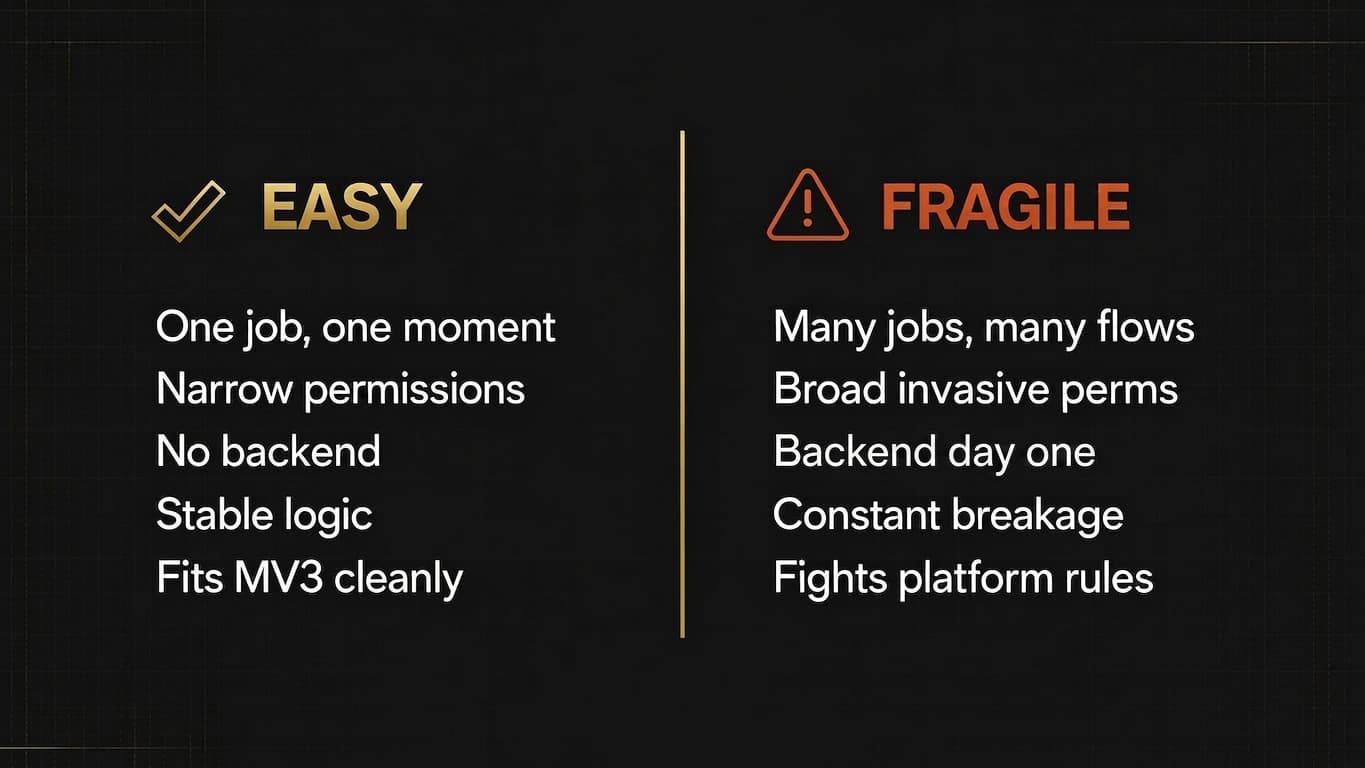
An easy Chrome extension idea should be judged by more than development effort. In practice, easy means simple to explain, small to build, straightforward to publish, low-friction to validate, and manageable to maintain. If any of those dimensions break down, the project may stop being easy even if the core feature still sounds modest.
| Criterion | Easy idea signal | Warning sign |
|---|---|---|
| Problem scope | One job in one moment | Several jobs across several workflows |
| Permissions | Narrow and obvious | Broad, invasive, hard to justify |
| Backend need | None or minimal | Required from day one |
| UI complexity | Popup, side panel, simple options | Full application hiding inside an extension |
| Maintenance | Stable logic | Constant site-specific breakage |
| Platform fit | Works cleanly within MV3 | Relies on outdated or policy-sensitive patterns |
Many beginners confuse easy to prototype with easy to run as a product. A scraper-based idea may be easy to hack together for one site and still be terrible in production because redesigns break it every month. A broad "AI assistant for everything" may sound lightweight because the interface is small, yet still be extremely difficult to validate because the positioning is vague and the differentiation is weak.
The Chrome Goldmine filter for choosing ideas
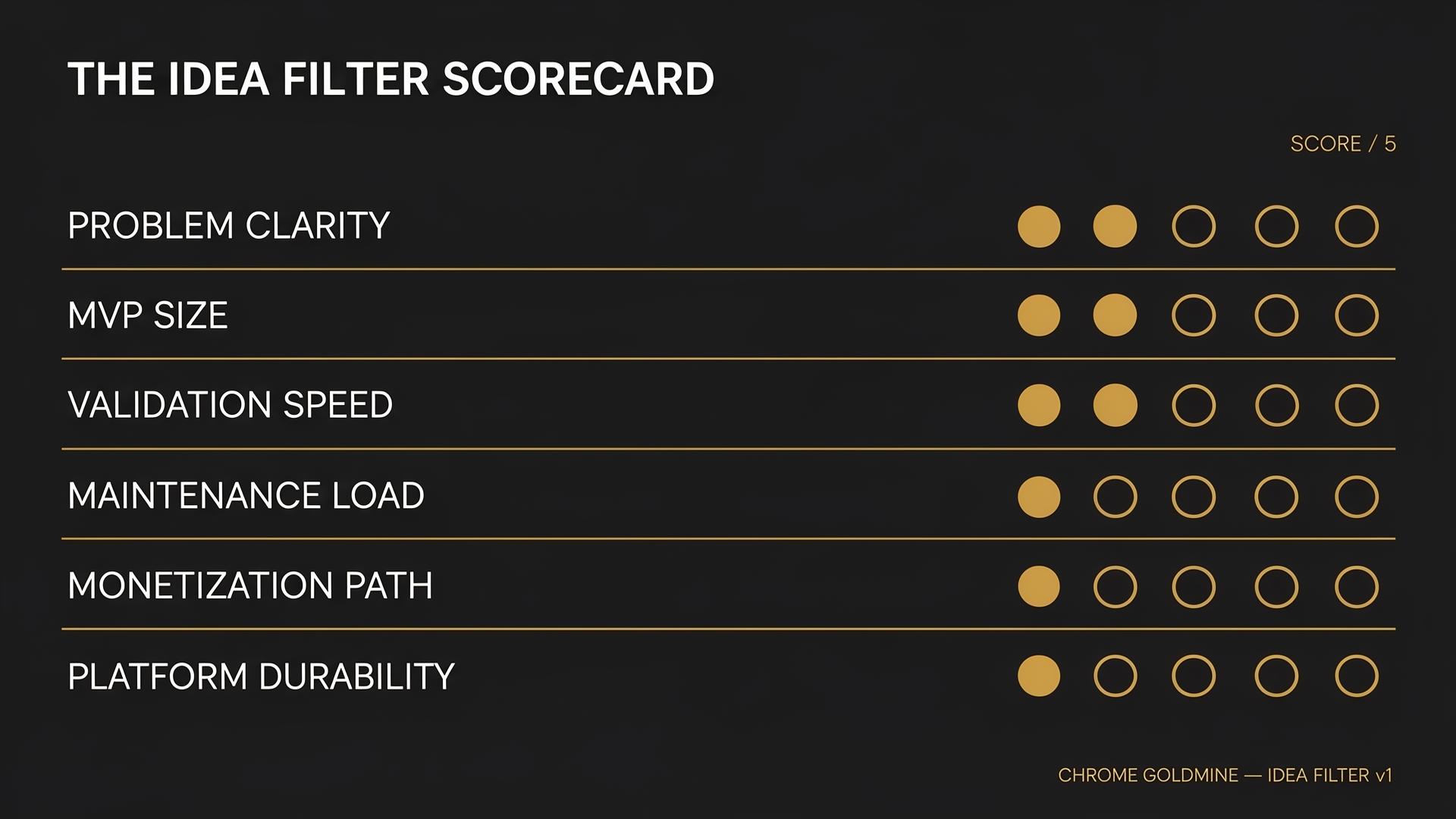
Before you pick an idea from the list below, run it through a simple scorecard. The list of ideas is useful; the filter is what turns inspiration into good judgment. Ask six questions. Is the user problem instantly clear? Can the MVP be built in a small surface area? Can you validate interest quickly? Will the product require constant maintenance? Is there a plausible path to monetization? And does the idea fit modern Chrome constraints instead of fighting them?
| Dimension | What to ask | Strong beginner signal |
|---|---|---|
| Problem clarity | Can a user understand the benefit in one line? | "This saves me time every day" |
| MVP size | Can version one work with almost no fluff? | One core action delivers the value |
| Validation speed | Can you test demand quickly? | Easy to pitch in a screenshot or mockup |
| Maintenance load | Will the logic remain stable? | Limited dependence on site structure |
| Monetization path | Is there a reason someone might pay? | Ties to time, money, or repeated work |
| Platform durability | Does it fit MV3 and store trust norms? | Low policy and privacy friction |
The best easy Chrome extension ideas solve a small pain inside a big recurring behavior. That is why browser products work so well. The user is already there. You only have to remove one repeated annoyance.
35 easy Chrome extension ideas worth building
The ideas below are deliberately chosen for scope clarity. Some are best as learning projects. Others have stronger commercial potential. In every case, the central question is the same: can a solo maker ship a narrow MVP quickly and learn something useful from real usage?
1. Focus mode for distracting sites
A focus-mode extension removes distracting elements from sites like YouTube, Reddit, or news pages so the user can consume the thing they came for and ignore the rest. The first version can support only one or two sites and hide a short list of clutter elements. It is easy because the promise is obvious, the UI can be tiny, and the value is emotional as well as practical.
2. Duplicate tab cleaner
A duplicate tab cleaner detects repeated tabs, stale tabs, or old sessions and offers one-click cleanup. This is easier than building a full tab-management system because the core value is narrow. It is a strong beginner project because browser APIs already expose the core state you need.
3. Meeting link launcher
A meeting link launcher pulls together the user's most recent meeting URLs and makes them easy to access from a popup. The simple version avoids deep calendar integration and instead focuses on copied links, pinned links, or lightweight parsing from recent browsing.
4. Page note overlay
A page note overlay lets users save quick notes attached to a URL or domain. The first version can be nothing more than a small side panel plus local storage. It is one of the best beginner ideas because it teaches the basics of content scripts, state, and UI without requiring much infrastructure.
5. Reading progress tracker
A reading progress tracker remembers how far the user got in a long article or documentation page and makes resuming easy. The value is simple, the behavior is recurring, and the product can stay lightweight.
6. Pomodoro trigger on distracting domains
Rather than building a full productivity suite, you can build a timer that appears only on user-defined distracting sites. When the user opens a chosen domain, the extension starts a focus cycle or asks a small intentionality prompt.
7. Word counter for selected text
A word counter that works on highlighted text or editable fields is small, useful, and stable. Writers, students, marketers, and job seekers all run into situations where they need fast counts without leaving the page. The monetization ceiling is lower, but it is an excellent first extension.
8. Highlight-to-summary helper
A highlight-to-summary helper turns selected text into a quick summary or saved note. The easy version keeps the flow simple: select text, summarize, copy or save. The product becomes hard only when founders try to turn it into a full research operating system too early.
9. Saved snippet manager
A snippet manager stores reusable responses, intros, support answers, or outreach templates for fast insertion. The value proposition is immediate and the core feature set is stable. It also has one of the clearest monetization paths because professionals pay for tools that reduce repetitive writing. For a Gmail-specific MVP, our reply-template workflow for one profession shows what to include, what to leave out and how to test it against native templates.
10. Case converter
A case converter reformats selected text into uppercase, lowercase, title case, sentence case, or slug format. Simplicity is a strength when you want low maintenance and immediate value.
11. Clean copy formatter
A clean copy formatter removes ugly spacing, extra line breaks, or awkward formatting when users copy content from webpages. The logic can remain deterministic and lightweight, which makes it easier to test and support than many AI-heavy alternatives.
12. Highlighted text-to-speech
A text-to-speech helper for highlighted text is useful for accessibility, proofreading, and quick listening. The narrow version focuses on selected text and a small set of playback options.
13. Link collector for research sessions
A link collector saves open or selected tabs into a structured list with titles, URLs, and optional notes. Researchers, students, founders, and affiliate marketers all feel this pain.
14. Page highlight exporter
A page highlight exporter lets users save highlights from a page and export them as plain text or Markdown. This is easier than competing with full note platforms because you are focused on capture and export rather than becoming the final destination for knowledge management.
15. SERP note sidebar
A SERP note sidebar adds lightweight notes beside Google search results. Especially useful for SEOs, affiliate marketers, and researchers who review many result pages. Niche, but niche can be good if the audience has clear commercial intent.
16. One-click bookmark sorter
A bookmark sorter helps users organize recent bookmarks, detect duplicates, or move items into folders more quickly. The product feels valuable because the before-and-after contrast is easy to understand.
17. Random Wikipedia explorer
A random Wikipedia explorer is a playful tool that surfaces unexpected articles, optionally lets users save favorites, and encourages curiosity. Excellent as a learning project or lightweight growth tool because the flow is clear and the content source is stable.
18. Reading queue helper
A reading queue helper gives users a very fast way to save pages into a browser-native queue without needing a heavyweight read-later app. Simplicity is the point here.
19. Shopping-page currency converter
A currency converter that works directly on product pages can reduce friction for international shoppers. The safe beginner version supports a limited set of sites and currencies rather than trying to solve every ecommerce edge case.
20. Price-with-fees calculator
A price-with-fees calculator helps users see a more realistic total when taxes, shipping, or marketplace fees complicate the apparent price. The core feature is simple math plus a clean overlay.
21. Coupon reminder overlay
Instead of building a massive coupon engine, a coupon reminder overlay can simply remind users to check their saved coupon sources on chosen stores. Beginner-friendly because it avoids large-scale scraping and keeps the workflow user-controlled.
22. Size chart quick switcher
A size chart quick switcher helps online shoppers move between US, UK, EU, or brand-specific sizing references. It solves a specific shopping pain without requiring deep integrations.
23. Marketplace listing note tool
A marketplace note tool lets buyers or sellers save short notes on listings, competitors, or product ideas while browsing. Particularly appealing in niches like reselling, collecting, or ecommerce research.
24. Comment template inserter
A comment template inserter stores reusable replies for support, social engagement, community management, or outreach. Compared with a generic snippet tool, this version is easier to market because the context is more concrete.
25. Hashtag bank for creators
A hashtag bank stores reusable hashtag groups, post templates, or caption components for creators who publish frequently in-browser. The easy version is little more than storage plus fast insertion.
26. Video timestamp note tool
A video timestamp note tool saves the current playback moment plus a note, useful for learners, researchers, and creators. The product stays easy when it focuses on capture and export rather than recommendations or collaboration.
27. Thumbnail inspiration saver
A thumbnail inspiration saver helps creators collect visual references from video pages into a lightweight inspiration board. The key is to limit the product to saving, labeling, and reviewing references.
28. Affiliate link checker
An affiliate link checker highlights missing tags, redirect issues, or other common attribution mistakes. One of the best business-oriented ideas in this list because the audience already thinks about revenue, compliance, and workflow efficiency. Chrome Goldmine's audience is especially well aligned with this problem — see our affiliate marketing guide for monetization patterns.
29. Freelancer proposal snippet tool
Freelancers repeatedly rewrite the same service explanations, intros, and links. A proposal snippet tool speeds that up across browser-based freelance platforms and outreach forms.
30. Job board quick filter
A job board quick filter hides irrelevant listings, highlights preferred terms, or preserves the user's preferred filters. A strong beginner idea because it improves an existing browsing flow without asking the user to switch platforms.
31. CRM note helper in the browser
A CRM note helper lets users attach notes to company websites, profiles, or outreach targets before that context reaches a formal CRM. Starts as a small utility and can later become a more serious sales workflow product.
32. Internal wiki search shortcut
An internal wiki search shortcut opens a compact search interface for company docs or a user-defined knowledge base. It does not need to replace documentation systems — it simply reduces friction in finding the right page quickly.
33. Micro QA or bug-note extension
A micro QA extension lets users capture the current URL, timestamp, and a short note when they spot an issue during browsing. An excellent founder tool because the MVP is tiny and the value is obvious.
34. Site-specific dark mode helper
A site-specific dark mode helper improves visual comfort on websites where the default appearance is too bright or inconsistent. The right beginner move is to support a small list of sites rather than theme the entire web.
35. Hide specific page elements tool
A hide-elements tool lets users remove persistent annoyances such as popups, sticky bars, or distracting side modules on chosen sites. Position it as personal interface customization, not as a risky catch-all blocker.
Which ideas are easiest to validate and monetize?
Not all "easy" validated startup ideas are equal once you care about business outcomes. The difference usually comes down to how close the problem sits to time, money, or repeated professional output. Writing utilities, snippet tools, affiliate helpers, research tools, proposal aids, and QA capture products tend to be easier to monetize because users already feel the cost of doing the task badly. Playful or curiosity-driven extensions can still be valuable, but they often work better as portfolio pieces or audience builders.
| Idea cluster | Validation speed | Monetization potential | Reason |
|---|---|---|---|
| Text and snippet utilities | High | High | Repetitive pain and strong professional use |
| Affiliate and SEO helpers | High | High | Clear ROI-minded audience |
| Research and note tools | High | Medium to high | Strong repeat use, especially with export or sync |
| Shopping micro-tools | Medium | Medium | Broad audience, weaker direct willingness to pay |
| Creator workflow helpers | Medium to high | Medium | Useful, but positioning matters a lot |
| Fun or curiosity tools | Medium | Low to medium | Easier to share than to monetize |
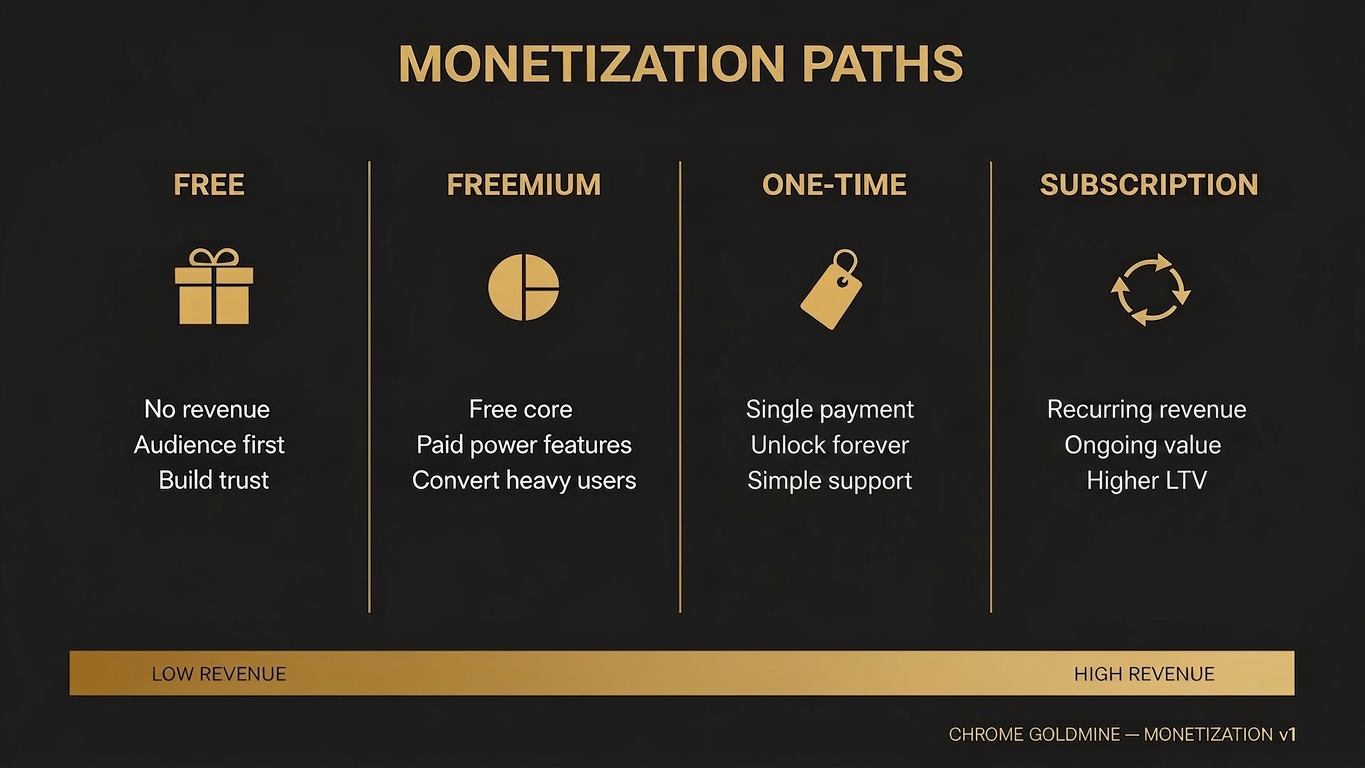
A simple founder rule: if the extension saves time in a workflow that already affects income, lead generation, deadlines, or repeated output, monetization becomes dramatically easier. For realistic expectations, see our revenue benchmarks guide.
Easy ideas that look good in theory but fail in practice
Many extensions do not fail because they lacked a clever feature. They fail because their operating model was weak. A product can look easy on paper and still be miserable to run.
One common trap is the all-in-one productivity extension. It promises to be a one-stop tool but creates scope explosion, unclear positioning, and endless feature debt. Another common trap is heavy reliance on site-specific scraping. The MVP may work beautifully on day one and then break every time the target site changes its layout. Permissions create another hidden problem — broad, poorly justified permissions weaken user trust and increase store review or policy friction.
| Trap | Why beginners choose it | Why it often goes wrong |
|---|---|---|
| All-in-one "assistant" | Sounds impressive | Scope and positioning become unmanageable |
| Heavy scraper across many sites | Fast to demo | Constant redesign breakage |
| Broad-permission utility | Looks powerful | Trust and policy risk increase |
| Generic AI wrapper | Feels modern | Differentiation is weak and retention suffers |
| Copycat utility with no niche | Easy to clone | Hard to market or monetize |
| MV3-unfriendly architecture | Old tutorials still circulate | Hidden maintenance cost grows over time |
How to validate an extension idea before you build too much
The biggest beginner mistake is validating the feature instead of validating the problem. Chrome extensions are seductive because a prototype can often be produced quickly. But speed is only useful if the underlying pain is real enough to justify maintenance, support, and iteration. For a deeper framework, see our 5-part idea validation guide — and if you want a parallel angle on sourcing ideas in the first place, our guide to finding expired extension ideas walks through 7 discovery methods that pair well with this list.
A better workflow starts with repeated annoyance. Find a browser task that people already complain about, workaround manually, or repeat in clumsy ways. Once the pain looks real, shrink the promise to one sentence. Instead of "I'm building a productivity extension," say "I'm building a sidebar that lets SEOs attach notes to Google search results." The narrower sentence is easier to test. You can show it in a screenshot, mention it in a relevant community, or put up a simple landing page with Framer in an afternoon, then capture interest with Kit.
| Validation step | Purpose | Fast success signal |
|---|---|---|
| Identify repeated annoyance | Confirm the pain exists | Users already have clumsy workarounds |
| Write a one-line promise | Clarify the value | Strangers understand it instantly |
| Mock 1 to 3 screens | Test comprehension | People grasp the flow without explanation |
| Show it to a micro-audience | Test resonance | Target users ask when they can try it |
| Build only the core action | Test real utility | Users repeat the key behavior |
| Watch retention | Decide whether to expand | People come back without being pushed |
How AI builders and boilerplates fit into a Chrome extension workflow
The smart way to use AI builders is not to expect them to magically create a winning extension from a vague prompt. The smart way is to use them to reduce the boring parts around the product while you keep the product definition disciplined.
Builders such as Lovable can help you scaffold landing pages, mock settings interfaces, draft onboarding copy, or create the surrounding web surface that helps you validate and distribute the extension. Boilerplates and starter kits such as TurboStarter can remove repetitive setup work that would otherwise eat weeks of effort. Together, these tools shorten the path from idea to usable prototype. For a structured approach, try our Weekend Challenge or the vibe coding tools comparison.
| Workflow layer | Good use of AI/builders | Wrong expectation |
|---|---|---|
| Ideation | Clarify audience and user flow | Expect the tool to choose the market for you |
| Design | Mock popup, options page, and onboarding | Mistake a polished UI for proof of demand |
| Launch | Spin up landing pages and waitlists | Delay feedback until everything feels perfect |
| Companion features | Build dashboards or simple web surfaces | Overbuild a full SaaS around an unproven extension |
| Extension core | Use templates where appropriate | Assume browser-specific constraints disappear |
Best practices for publishing a durable Chrome extension in 2026
If you want your extension to survive beyond launch week, design for durability from the start. Chrome's official guidance around single-purpose extensions should be taken seriously because complexity compounds quickly in browser products. A tiny tool with a crisp promise is usually easier to review, easier to explain, easier to maintain, and easier to improve.
Minimize permissions. Avoid product shapes that create weekly breakage. Be ruthless about feature support cost. Think about monetization after the user value is clear, but not so late that you never learn which workflows carry willingness to pay. And build something you would actually be willing to maintain for a year.
Final recommendation: how to choose your first idea
If your primary goal is learning, start with a stable text utility or note-capture product. If your primary goal is revenue, start with a workflow tool tied to professional output, affiliate work, or repeated communication. If your primary goal is audience-building, choose a product that reveals a clear point of view about how people behave inside the browser.
For most indie makers, the strongest first choices are usually page notes, snippet tools, affiliate link checking, focused browsing helpers, lightweight research tools, and proposal or QA capture products. They are small enough to ship, specific enough to position, and close enough to repeated pain that validation can happen quickly.
The deeper answer to easy Chrome extension ideas is therefore not "here are more random concepts." The deeper answer is this: the best easy idea is the one that lets you learn the platform, earn user trust, validate demand, and keep the product alive without building a monster you regret. From here, the natural next steps are to find expired extension ideas worth reviving, validate the idea before you overbuild, or return to the profitable Chrome extension niches pillar and the Chrome Goldmine database for proven ideas that already had real users.
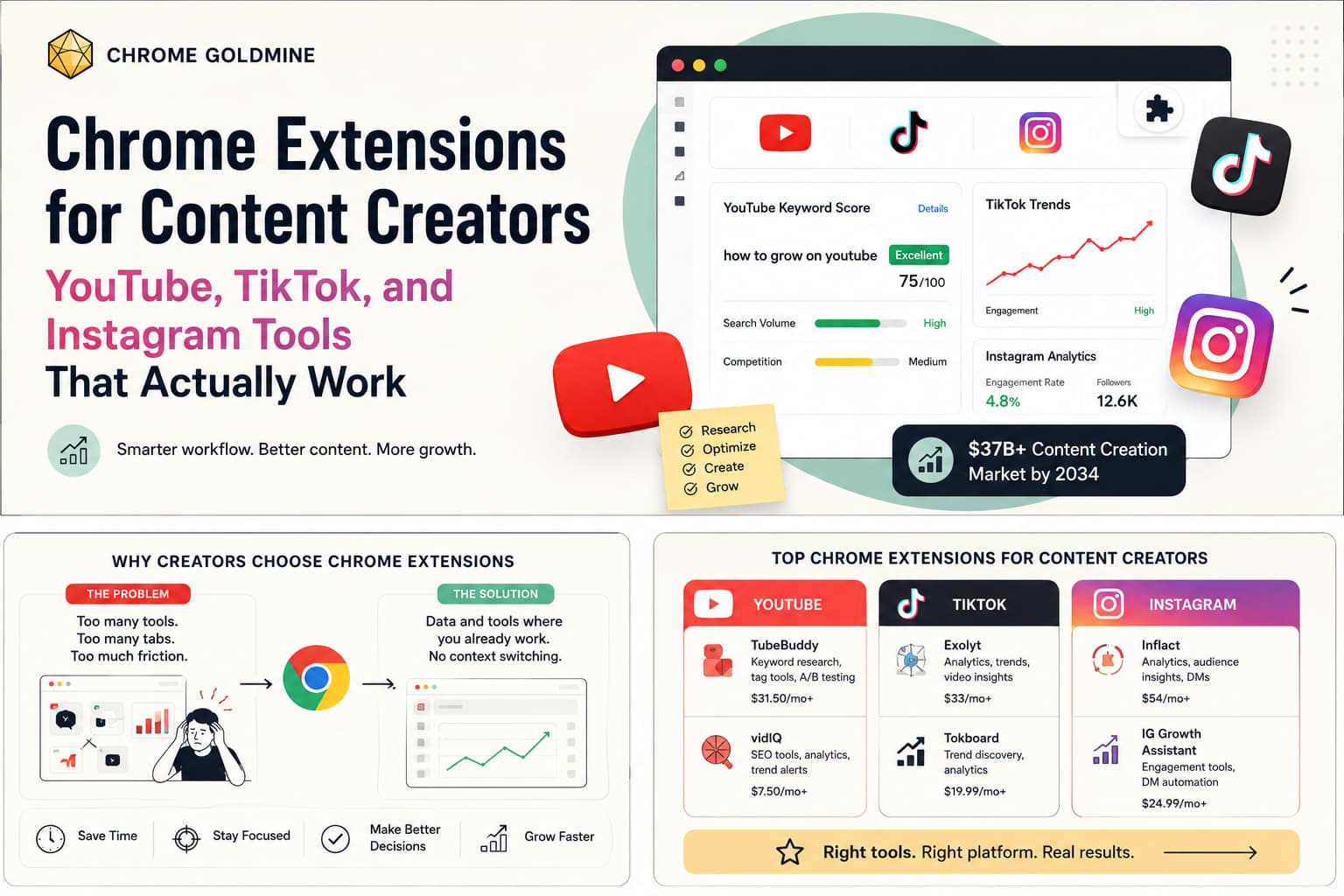
Prefer to specialise? See our niche playbooks on Chrome extensions for content creators and the curated Chrome extension ideas database for serious builders.
Get weekend-sized ideas with users waiting
Sort 9,656 expired extensions by difficulty and pick one whose former users are still looking for a replacement.
$23.20 $29 · 20% off for the first 100 buyers · one-time payment