Building Chrome Extensions Without Coding: Complete Guide
Three no-code paths — AI generators, visual builders, and hybrid — to ship a Chrome extension in 30–60 hours with zero coding skill.
Article content
You're not a developer. You've never coded. But you have an idea for a Chrome extension that would save people hours every week. Here's the truth: You can build a chrome extension without code—and you don't need to hire someone to do it for you. No coding experience? That's fine. Thousands of non-technical makers are building extensions in 2026. In this guide, we'll show you how anyone can build an extension, with no coding knowledge required, and ship it in days, not months.
Is It Really Possible? (Honest Assessment)
Yes, it is absolutely possible to build a Chrome extension without writing a single line of code. Thanks to the rise of no-code and AI-powered development tools, the barrier to entry for building software has never been lower. However, it's important to have realistic expectations.
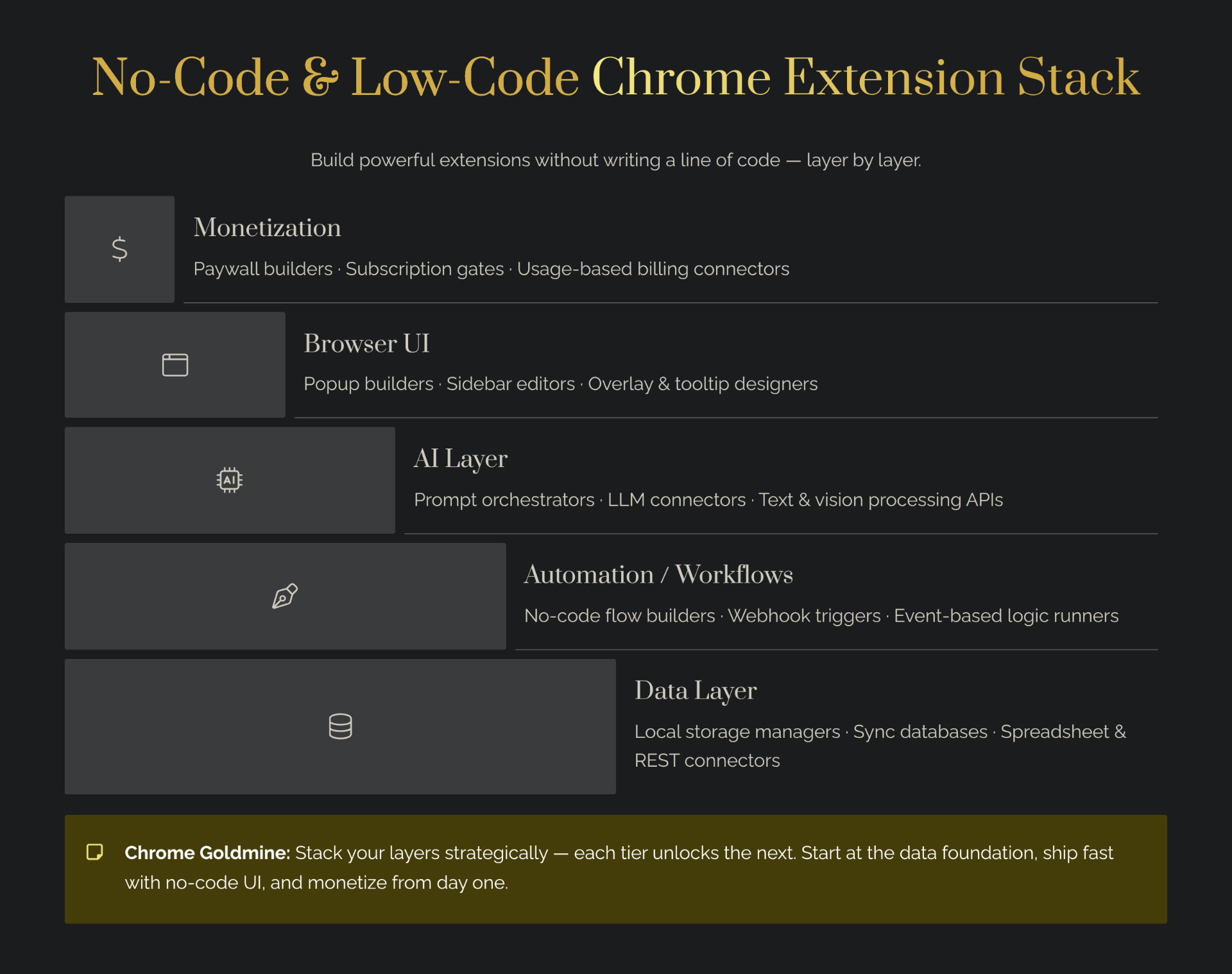
What you CAN build without code: UI-based extensions (dark mode, feed customizers), automation extensions (form filling, data scraping), and data-handling extensions (stock tickers, weather widgets) — these map almost one-for-one to the five extension types that work best for solo makers. Before you start, run a quick keyword check with Mangools to confirm your idea has real search demand.
What you CAN'T build without code: Complex algorithms (real-time translation, NLP), real-time multiplayer games, and extensions that require training AI models.
The Three Paths to No-Code Extensions
Path 1: Pure AI Generators (Fastest)
Tools like Lovable.dev and Claude allow you to generate a complete Chrome extension from a natural language prompt. You simply describe what you want your extension to do, and the AI generates the code for you. This is the fastest and easiest path, but it also offers the least amount of control. Follow our step-by-step Claude tutorial to build your first extension in 30 minutes. Timeline: 20–40 hours.
Path 2: Visual Low-Code Builders (Balanced)
Tools like MindStudio and Replit provide a visual interface for building your extension. You can drag and drop components, configure settings, and see a live preview as you build. This path offers more control than pure AI generators, but has a steeper learning curve. If your extension needs to push data into CRMs, email tools, or 500+ apps, pair this with the Lovable + Latenode integration pattern for the automation layer. Timeline: 30–60 hours.
Path 3: Hybrid Approach (Best of Both)
The hybrid approach combines the speed of AI with the control of manual configuration. Use an AI tool like Claude to generate the initial codebase, then use a configuration tool or code editor to customize it. This offers a great balance of speed and control. Timeline: 20–40 hours.
A fourth option gaining traction in 2026 is using a SaaS boilerplate as your starting point. Starter kits like Supastarter, TurboStarter, ShipAhead, Shipped, Launchfast, MkSaaS, and DirStarter provide a production-ready codebase with authentication, billing, and deployment already configured. You then use a vibe coding tool to customize the UI and add your extension-specific features. This is particularly powerful for extensions that need a web dashboard or subscription management alongside the browser extension itself — a model we unpack further in how to build and launch a micro-SaaS in 2026.
Real Extensions Built Without Code (3 Examples)
- LinkedIn Post Generator (10-20 hours): Justin H Hayward-Johnson built a Chrome extension that generates LinkedIn posts using AI.
- Lovable.dev Add-ons (30-40 hours): A designer built a Chrome extension for Lovable.dev that adds features like Groq support and a prompt library.
- E-commerce Data Extractor (40-60 hours): Cody Schneider built a Chrome extension for data extraction that was a key part of his $100k business.
The Honest Timeline: What to Expect
- Phase 1: Learning the tool (4–8 hours): Learn the basics of your chosen no-code tool using documentation and tutorials.
- Phase 2: Building your extension (20–40 hours): Build the core functionality. Time depends on complexity.
- Phase 3: Testing & refining (5–10 hours): Test thoroughly and refine based on user feedback.
- Phase 4: Submitting to Chrome Web Store (2–4 hours): Create assets, prepare your listing, and submit for review.
In total, you can expect to spend 30–60 hours to build and launch a simple to moderately complex Chrome extension without code. If you break that down into a weekly schedule, you could have your extension live in just a few weeks. Once you've launched, avoid these 7 common vibe coding mistakes that trip up new builders.
Your Action Plan: Start Building This Week
- Week 1: Pick a tool and learn the basics. If you're a beginner, we recommend starting with Lovable.dev.
- Week 2–3: Build your first extension. Start with a simple idea and build the core functionality.
- Week 4: Refine, test, submit. Test thoroughly and submit to the Chrome Web Store.
For a more detailed comparison of AI extension builders, check out our cluster article: Lovable vs MindStudio vs Bolt: AI Extension Builders.
Conclusion
Building a Chrome extension without code is no longer a pipe dream. Thanks to the rise of no-code and AI-powered development tools, anyone can build and launch a Chrome extension, regardless of their technical background. Design your Chrome Web Store screenshots and promotional tiles in minutes with Canva — first impressions drive installs. Whether you're a non-technical founder with a great idea or a seasoned developer looking to speed up your workflow, there's a no-code tool that can help you build your next Chrome extension. For the full strategy — tool comparisons, pricing, and step-by-step tutorials — read our complete vibe coding Chrome extensions guide. For a deeper look at the full tool ecosystem, read our vibe coding tools and boilerplates guide. And when you're ready to understand the underlying MV3 architecture, our Chrome Extension Development Guide 2026 walks through everything from manifest.json to monetization. If you want to use Claude to rebuild proven expired extensions, see our Claude guide for Chrome extensions. So what are you waiting for? Start building!