Best Vibe Coding Extensions for Solo Makers: 2026 Edition
The 5 extension categories — automators, scrapers, content generators, and more — that solo vibe coders can build and monetize alone.
Article content
You're a solo maker with a great idea for a Chrome extension, but you don't have the time or resources to build it from scratch. Vibe coding is here to help. The best vibe coding extensions are the ones that allow you to build faster, save money, and compete with larger teams. In this guide, we'll share 5 of the best vibe coding extensions for solo makers, with real-world examples and a decision framework to help you choose the right one.
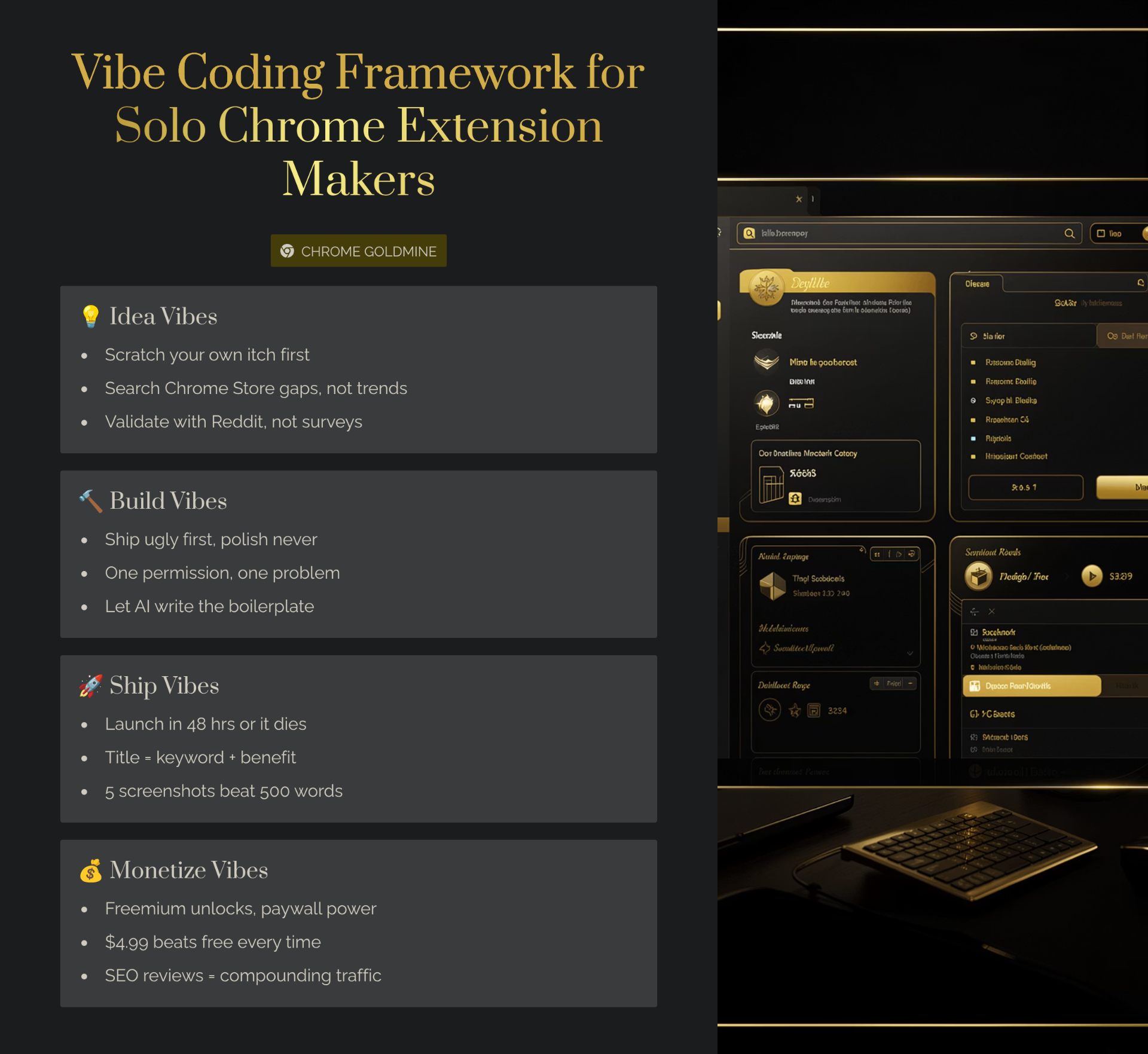
The Solo Maker's Dilemma: Time, Money, and Code
Building a business as a solo founder is a daunting task. You have to wear all the hats: CEO, marketer, salesperson, and developer. This is where vibe coding comes in. By using AI to write code, you can level the playing field and compete with larger teams. The rise of the one-person software company is a testament to the power of vibe coding to democratize entrepreneurship — and the 2026 micro-SaaS playbook shows exactly how indie makers are turning that leverage into $5K+ MRR products.
What Makes a Great Extension for Solo Makers?
- Focus on a specific niche — Don't try to build an extension for everyone. Instead, focus on a specific niche that you understand and are passionate about.
- Solve a real problem — The best extensions solve a real problem for a specific audience. If you can find a problem that people are willing to pay to solve, you're on the right track.
- Easy to monetize — Choose an extension idea with a clear path to revenue through freemium, subscription, or one-time purchase models.
- Low maintenance — Choose an extension that doesn't require constant updates to keep up with changing website structures or APIs.
The Top 5 Vibe Coding Extensions for Solo Makers
1. The Niche Automator (e.g., SuperDev Pro)
Find a specific workflow and automate it. SuperDev Pro, for example, helps developers and designers fix UI issues faster. The founder survived for 2.5 years without a job by building this extension. Monetization: Freemium model with a free tier for basic features and a paid tier for advanced automation capabilities. Use Outseta to handle the billing, membership gating, and CRM all in one tool.
2. The Data Scraper (e.g., E-commerce Data Extractor)
Scrape data from websites and present it in a useful way. Cody Schneider's e-commerce data extractor was a key part of his $100k business. Data scraping extensions are valuable because they save users hours of manual work, especially when you wire the results into a CRM or email tool using a Lovable + Latenode automation backend. Monetization: Subscription model with tiered pricing based on the number of products or pages scraped per month.
3. The Content Generator (e.g., LinkedIn Post Generator)
Use AI to generate content for social media, blogs, or other platforms. Justin H Hayward-Johnson's LinkedIn post generator automates a common task for social media users. Monetization: Credit-based system where users pay for a certain number of generated posts per month.
4. The Productivity Booster (e.g., Quick Create Google Workspace)
Streamline a common workflow to save users time. These extensions are popular because they solve everyday pain points and tend to have high user retention because they become part of users' daily workflows. Monetization: One-time purchase or low-cost subscription model.
5. The Developer Tool (e.g., Lovable.dev Add-ons)
Build a tool for other developers to use. Developer tools have a passionate user base that is willing to pay for quality tools. Developers are typically more forgiving of rough edges and more willing to provide feedback. Monetization: Freemium model with advanced features behind a paywall.
The Solo Maker's Vibe Coding Stack
- Lovable.dev for UI — Perfect for quickly building a beautiful user interface for your extension. Use it to create your extension's popup, options page, and any other UI elements.
- Claude for logic — Ideal for generating the complex business logic for your extension. Use Claude to generate content scripts, background scripts, and any other JavaScript code. For a complete walkthrough, see our Claude guide for Chrome extensions.
- Bolt.new for scaffolding — Great for quickly building landing pages, dashboards, and backend APIs to support your extension.
- Cursor for hybrid development — Perfect for when you need more control than pure no-code tools provide. Combine AI power with the flexibility of a traditional code editor.
- Starter kits for a head start — Instead of building authentication, billing, and dashboards from scratch, use a SaaS boilerplate to skip weeks of setup. TurboStarter and Supastarter are top-tier options with Next.js and Supabase stacks. Budget-friendly alternatives include Shipped and Launchfast.
- Not sure which AI tool to pick? Read our Lovable vs MindStudio vs Bolt comparison for a head-to-head breakdown.
Getting Started: Your First Solo-Built Extension
- Week 1: Find a problem to solve. Spend time in communities where your target users hang out. Look for recurring complaints or pain points.
- Week 2: Choose a monetization strategy. Decide how you're going to make money from your extension before you start building.
- Week 3: Pick a vibe coding tool. Based on your extension idea, choose the vibe coding tool that best fits your needs. If you've never coded before, start with our complete no-code Chrome extension guide. If your extension needs a backend with user accounts and payments, consider starting with a boilerplate like Supastarter or ShipAhead to save weeks of development time.
- Week 4-6: Build your extension. Focus on building the core functionality first. Ship a minimal viable product and get it in front of users as quickly as possible.
- Week 7: Launch and iterate. Launch your extension on the Chrome Web Store and start gathering user feedback.
Watch out for these 7 common vibe coding mistakes before you ship. Before choosing your niche, run a quick keyword analysis with Mangools to confirm there's real search demand for your idea. And if you're looking for validated ideas to build, browse 9,656+ opportunities in our expired Chrome extensions database guide. When you're ready to monetize, our guide on selling your Chrome extension covers valuations and exit strategies, while the lifetime deal guide shows how to generate upfront capital through AppSumo and PitchGround.
For a more in-depth guide to vibe coding tools, check out our pillar article: Vibe Coding Tools for Chrome Extension Development: 2026 Guide. And for a hands-on look at the full tool stack — from boilerplates and AI workflows to launch infrastructure — see our vibe coding tools and boilerplates guide. If you're ready to go beyond AI prototyping and build a full MV3 extension end to end, our Chrome Extension Development Guide 2026 covers architecture, code samples, publishing, and monetization.