Master Chrome Extension Communication: Message Passing Patterns for Indie Makers
Master chrome.runtime.sendMessage, tabs.sendMessage, and long-lived ports for reliable MV3 service worker communication.
Article content
For indie makers and vibe coders, mastering chrome extension message passing is not just a technical detail — it's the bedrock of building robust, interactive, and ultimately profitable Chrome extensions in 2026. This guide will demystify the complexities of inter-script communication, especially under Manifest V3, and equip you with the patterns and tools to create seamless user experiences.
The Chrome Extensions market is projected to grow from $2.5 Billion in 2025 to $5.0 Billion by 2033, boasting a robust CAGR of 14.00% (HTF Market Intelligence, 2025). As of January 2026, the ecosystem has fully transitioned to Manifest V3, fundamentally changing how extensions operate, particularly regarding background scripts and inter-component communication. Understanding chrome extension message passing is no longer optional; it's essential for success. For the full build playbook, see the complete guide to building Chrome extensions.
Why is Chrome Extension Message Passing Critical?
Enabling Complex Functionality
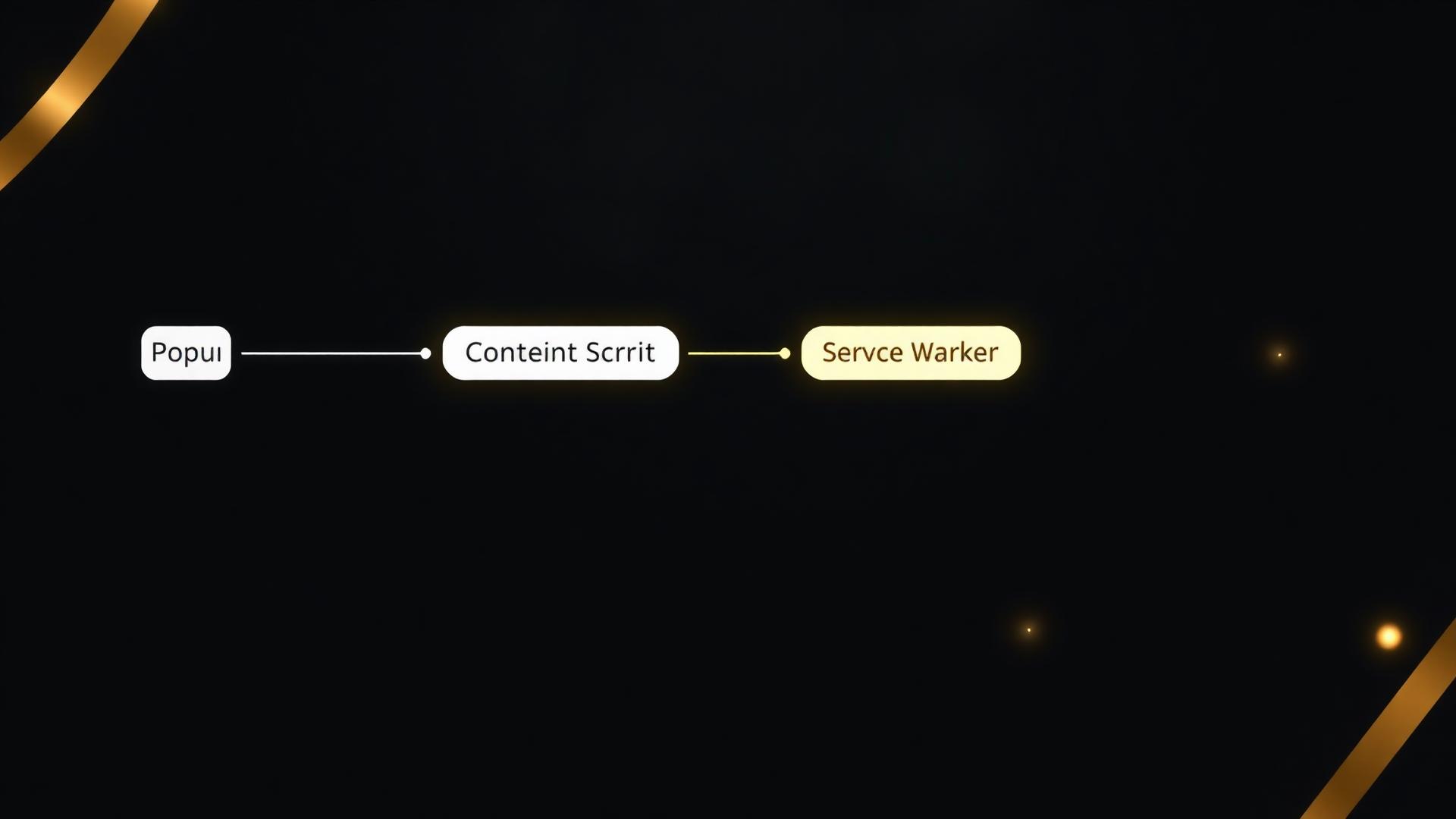
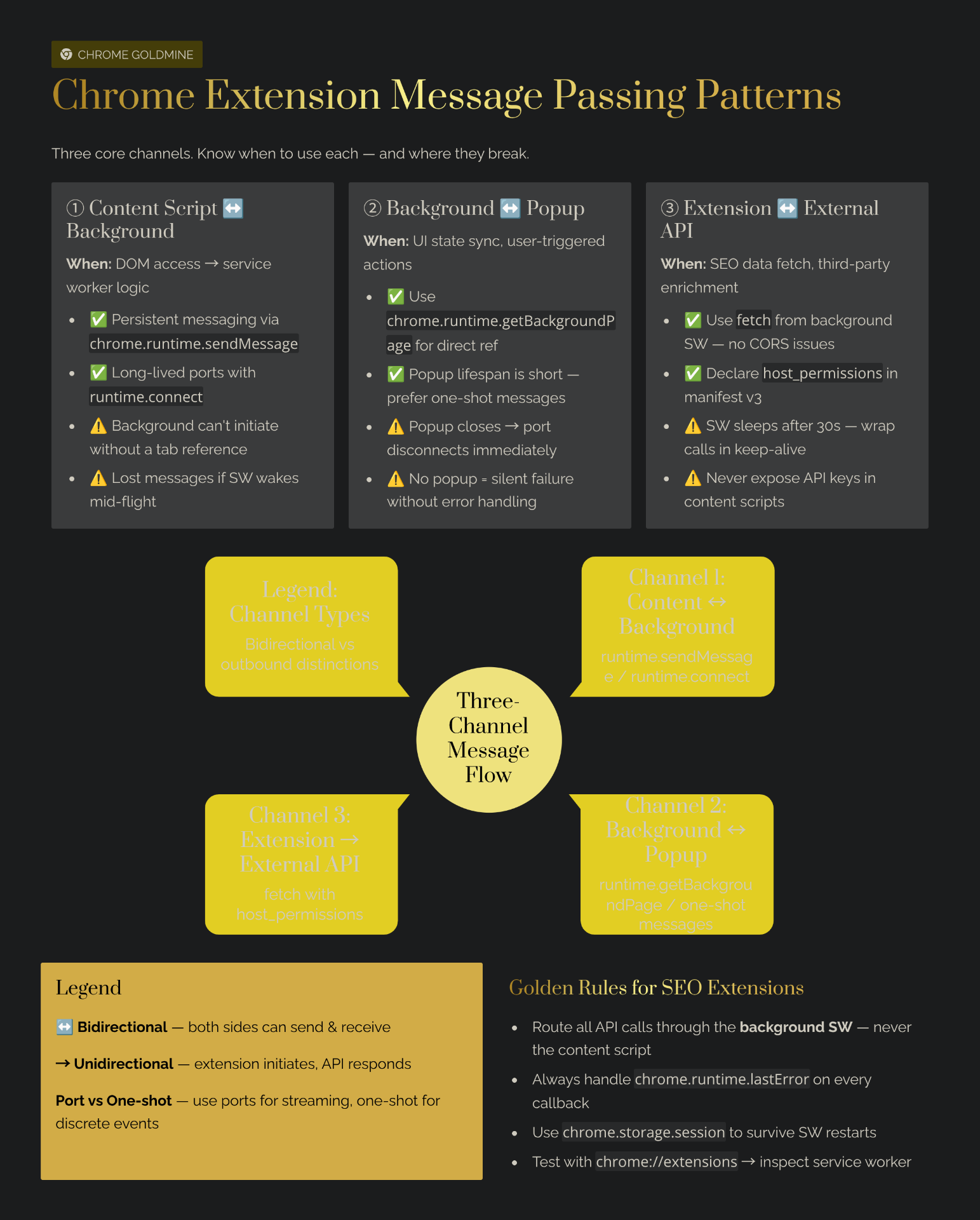
Modern Chrome extensions often require coordination between multiple components. A content script might need to extract data from a webpage, send it to a background service worker for processing, and then display the results in a popup or side panel. This entire workflow relies on efficient extension communication. Without robust messaging, complex features would be impossible.
Adapting to Manifest V3's Event-Driven Architecture
Manifest V3's shift to event-driven service workers means your background script is no longer persistent; it wakes up only when needed and terminates after a short period of inactivity. This change makes chrome extension message passing even more critical. You can no longer rely on global variables in a persistent background page to maintain state or communicate. Instead, messages become the primary mechanism for coordinating tasks and persisting data.
The Core Mechanics: runtime.sendMessage and tabs.sendMessage
chrome.runtime.sendMessage()
This method is versatile, allowing messages to be sent from content scripts to the service worker, from the popup/options page to the service worker, and even from one extension to another.
// Sender (e.g., content script, popup)
chrome.runtime.sendMessage({greeting: "hello"}, function(response) {
  console.log(response.farewell);
});

// Receiver (service worker)
chrome.runtime.onMessage.addListener(
  function(request, sender, sendResponse) {
    if (request.greeting === "hello") {
      sendResponse({farewell: "goodbye"});
    }
  }
);
Key Consideration: If `sendResponse` is called asynchronously (e.g., after an API call or `setTimeout`), you must return `true` from the `onMessage` listener. This tells Chrome to keep the message channel open until `sendResponse` is called. Failing to do so will result in the port closing and the response not being delivered. For more on this, see the error handling guide.
chrome.tabs.sendMessage()
This method is specifically designed for the service worker to send a message to a content script running in a specific tab. This is crucial for injecting commands or data into the webpage context.
// Sender (e.g., service worker)
chrome.tabs.sendMessage(tabId, {command: "highlight"}, function(response) {
  console.log(response.status);
});

// Receiver (content script)
chrome.runtime.onMessage.addListener(
  function(request, sender, sendResponse) {
    if (request.command === "highlight") {
      document.body.style.backgroundColor = "yellow";
      sendResponse({status: "highlighted"});
    }
  }
);
Beyond One-Time Requests: Long-Lived Connections
For continuous communication, such as streaming data or maintaining an open channel for multiple interactions, `chrome.runtime.connect()` is the preferred method. This establishes a port that remains open until either side closes it or the service worker becomes inactive.
// Sender (e.g., content script)
const port = chrome.runtime.connect({name: "my-channel"});
port.postMessage({joke: "Knock knock"});
port.onMessage.addListener(function(msg) {
  if (msg.question === "Who's there?")
    port.postMessage({answer: "Orange"});
});

// Receiver (service worker)
chrome.runtime.onConnect.addListener(function(port) {
  if (port.name === "my-channel") {
    port.onMessage.addListener(function(msg) {
      if (msg.joke === "Knock knock")
        port.postMessage({question: "Who's there?"});
    });
  }
});
Manifest V3 Consideration: Ports will automatically close if the service worker becomes inactive. Implement robust error handling (`port.onDisconnect.addListener`) and re-establish connections if necessary. Use `chrome.storage.local` for persistent data — never global variables.
What Doesn't Work: Common Messaging Pitfalls
1. Service Worker Wake-Up Delays and Inactivity
Manifest V3 service workers are event-driven and terminate after about 30 seconds of inactivity. If your service worker performs a long-running task and doesn't respond quickly, it might terminate before `sendResponse` is called. The Fix: Return `true` for async responses, persist state using `chrome.storage.local`, and chunk large data transfers.
2. Mismanaging Asynchronous Responses
Forgetting to return `true` from the `onMessage` listener when `sendResponse` is called asynchronously causes the message port to close prematurely, and the sender never receives a response.
// ❌ Incorrect (response might not be sent)
chrome.runtime.onMessage.addListener(
  function(request, sender, sendResponse) {
    fetch('some-api.com').then(response => {
      sendResponse({data: response});
    });
  }
);

// ✅ Correct
chrome.runtime.onMessage.addListener(
  function(request, sender, sendResponse) {
    fetch('some-api.com').then(response => {
      sendResponse({data: response});
    });
    return true; // IMPORTANT: Keep the message channel open
  }
);
3. Ignoring Error Handling (chrome.runtime.lastError)
Message passing can fail for various reasons (e.g., no listener, inactive service worker, invalid message). Ignoring these errors can lead to silent failures and a broken user experience.
chrome.runtime.sendMessage({type: "doSomething"}, function(response) {
  if (chrome.runtime.lastError) {
    console.error("Error sending message:", chrome.runtime.lastError.message);
    // Implement retry logic or notify user
  } else {
    console.log("Response:", response);
  }
});
For more common development pitfalls, see 7 common vibe coding mistakes. Before you start building, validate your extension idea with Mangools to confirm real search demand.
ROI Analysis: Is Mastering Message Passing Worth It?
| Time Investment (hours) | Monetary Investment ($) | Expected Outcome (range) | Assumptions |
|---|---|---|---|
| 50–200 hours | $0–$100 | 2–3x faster development, 10–20% higher user retention, $500–$5,000+ MRR | Based on solo indie developer rates and typical micro-SaaS engagement metrics. |
Based on 2026 market data and indie maker case studies. Assumes a developer with basic to moderate experience in web technologies and Chrome extension development. These numbers are estimates; real outcomes vary significantly.
Robust extension communication leads to more stable and responsive extensions, which directly contributes to higher user retention. Users are less likely to uninstall an extension that works flawlessly. Higher retention translates to more consistent revenue for monetized extensions. For payment integration, Outseta provides an all-in-one solution covering auth, billing, and CRM.
Modern Tools & Libraries to Streamline Message Passing
ext-messenger
`ext-messenger` is a lightweight library designed to simplify message passing across various parts of your browser extension. It provides a promise-based API, making asynchronous communication much cleaner and easier to manage. This library abstracts away the complexities of `chrome.runtime.sendMessage` and `chrome.runtime.connect`.
webext-bridge
`webext-bridge` is another excellent option, offering a type-safe messaging bridge for WebExtensions. It's particularly beneficial for projects using TypeScript, as it provides strong typing for your messages, reducing errors and improving code maintainability.
Conclusion: Build Connected, Powerful Extensions
For indie makers, mastering chrome extension message passing is an indispensable skill in the Manifest V3 era. It's the key to unlocking complex features, building responsive user interfaces, and ensuring your extension operates reliably despite the event-driven nature of service workers.
The Chrome extension market continues its robust growth, offering significant opportunities for those who can build high-quality, problem-solving utilities. Efficient extension communication is not just a technical requirement; it's a strategic advantage that contributes directly to user satisfaction, retention, and the monetization potential of your micro-SaaS. For a structured approach to building your first extension, try the Weekend Challenge or explore the $1K/month side income blueprint.