How I'd Build a $1,000/Month Side Income Using Only the Chrome Goldmine Database
A 90-day plan to reach $1K MRR by launching 2–4 focused Chrome extensions instead of betting on one viral hit.
Article content
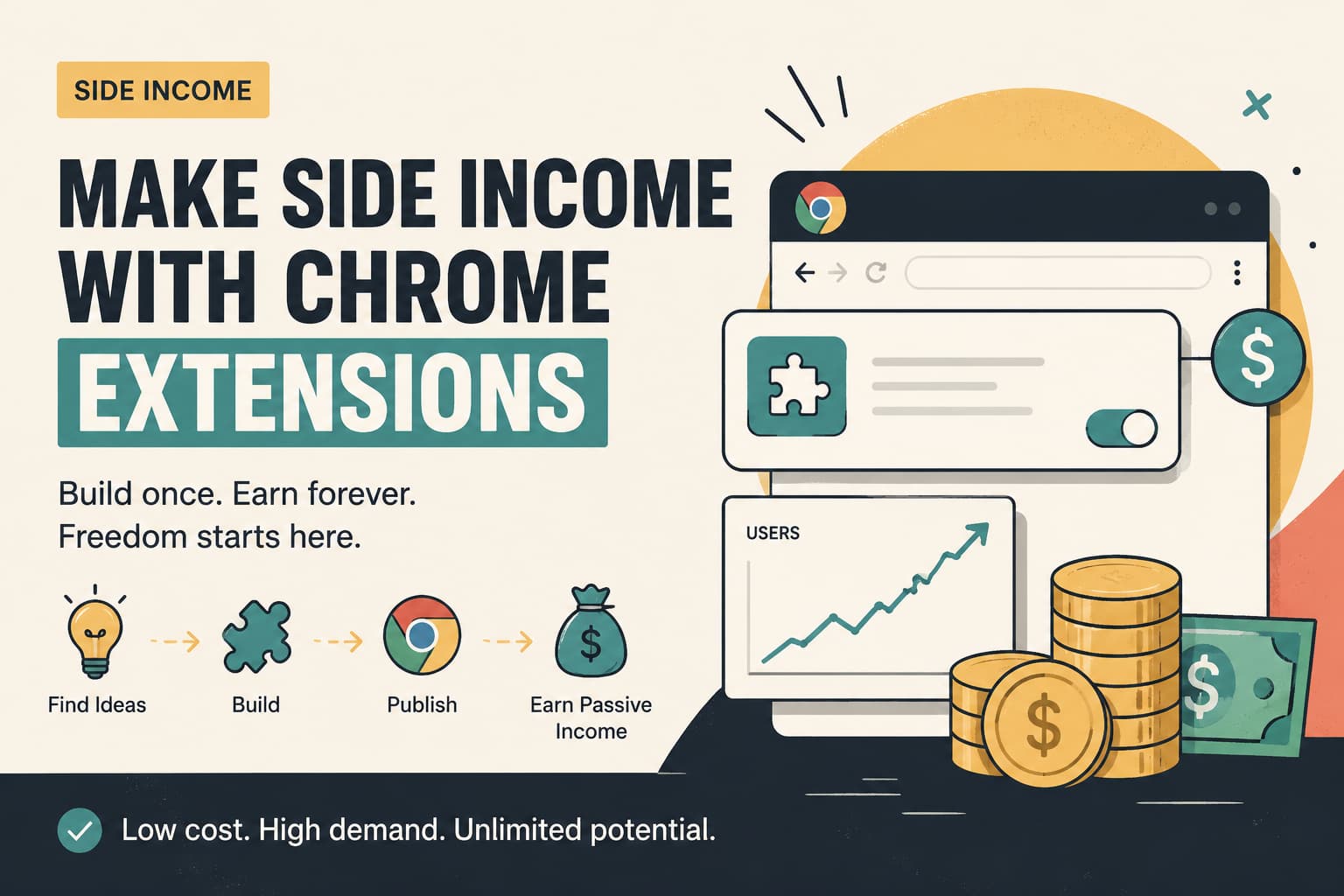
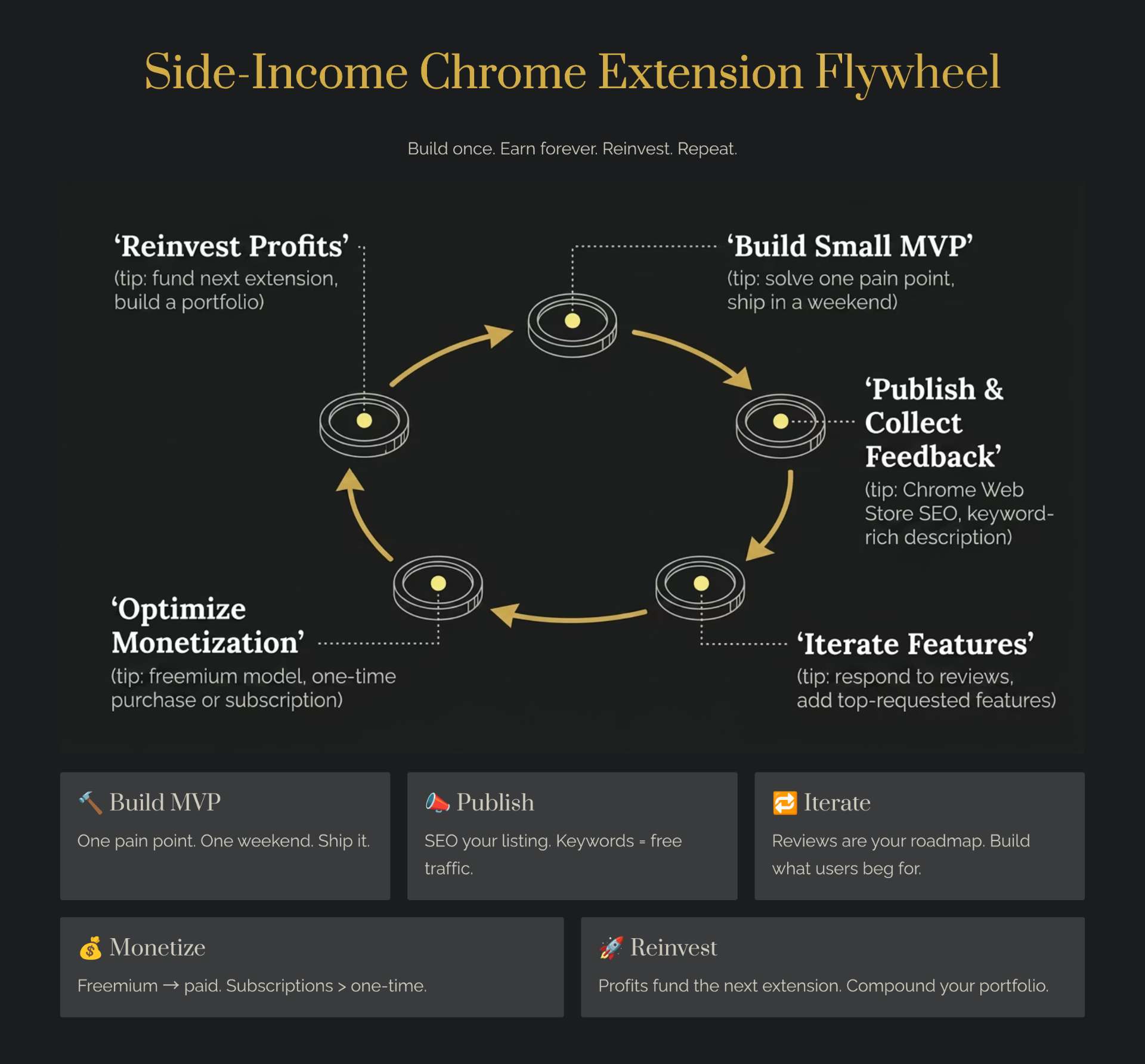
Most people think you need a viral, million-user extension to make real money from Chrome. They're wrong. The smarter path is a portfolio approach — building 2–4 focused extensions that each earn $250–$500/month. Combined, that's your $1,000 MRR target. And the fastest way to find validated ideas for that portfolio? The Chrome Goldmine database.
This isn't a theoretical exercise. I'm going to walk you through exactly how I'd do it — from picking the right expired extensions, to choosing a monetization model, to stacking revenue across a mini-portfolio. No unicorn thinking. No unrealistic projections. Just a methodical, repeatable blueprint anyone with basic dev skills can follow.
Why a Portfolio Beats a Single Extension
The data is clear: 86.3% of Chrome extensions have fewer than 1,000 users, and 69.5% have fewer than 100. Betting everything on one extension is a gamble. A portfolio approach hedges that risk — if one extension underperforms, the others pick up the slack.
Consider these real-world examples:
- FounderPal & MakerBox — A portfolio by the same founder. MakerBox earns $749/month, FounderPal earns $7,800/month. Together, that's a serious business.
- Glen (Hacker News) — Makes $500/month each from a couple of Chrome extensions. Two extensions, $1,000/month. No team, no funding.
- Saeed Ezzati — Built an AI Chrome extension that hit $1,000 MRR as a solo maker.
The pattern is consistent: indie makers who treat extensions as a portfolio rather than a lottery ticket reach sustainable income faster. The average time-to-first-dollar for a validated idea is just 38 days — some makers hit it in 48 hours.
Step 1: Mine the Chrome Goldmine Database for Ideas
The biggest mistake most builders make is starting with a random idea. Instead, start with data. The Chrome Goldmine database contains 9,656+ expired extension opportunities — each one a pre-validated idea with historical install data, user reviews, and proven demand.
Here's how to filter for portfolio-worthy candidates:
- Sort by former user count — Look for extensions that had 5,000–50,000 users. This is the sweet spot: enough demand to monetize, but not so competitive that big players have already moved in.
- Filter by category — Focus on categories with proven monetization: productivity, developer tools, email, and e-commerce. These have the highest willingness to pay.
- Check the removal reason — Extensions removed because the developer abandoned them (not because they violated policies) are your best bets. They had a working product; the builder just moved on.
- Cross-reference with current alternatives — If there are few or no current alternatives, you've found a gap. Use the database's competitor analysis to validate this quickly.
For a deeper framework on filtering and scoring ideas, check our guide on how to validate expired extension ideas before committing to a build. For a deeper analytical approach, apply our reverse engineering framework to study what makes top extensions profitable before picking your portfolio.
Step 2: Pick Your Monetization Model
Not all extensions should be monetized the same way. Here's a breakdown of the models that work best for a portfolio strategy:
| Model | Best For | Typical Conversion | Revenue Range |
|---|---|---|---|
| Freemium | Productivity, utilities | 2–5% | $500–$5,000/mo |
| One-Time Purchase | Developer tools, niche utilities | 2–8% | $200–$2,000/mo |
| Subscription | API-powered tools, ongoing services | 0.5–2% | $300–$3,000/mo |
| Affiliate | Shopping, deal finders | N/A | $5,000–$20,000/mo |
| Ads | High-traffic, low-engagement | N/A | $50–$200/mo |
For a portfolio aiming at $1,000/month total, the most realistic mix is 2–3 freemium extensions with a $3–$5/month premium tier, plus one affiliate/e-commerce extension for passive upside. For a deep dive into each model, see our monetization guide. For affiliate-specific strategies, our Chrome extension affiliate marketing guide covers program selection, compliance, and revenue expectations. You can also layer in sponsorship deals once your user count is large enough to attract brand interest.
Step 3: Choose a Starter Kit
Before you write a single line of code, consider starting from a production-ready boilerplate. Starter kits give you authentication, payments, database setup, and deployment out of the box — saving weeks of grunt work so you can focus on your extension's unique value. Here are the best options for indie makers in 2026:
- TurboStarter — A full-stack starter kit with auth, payments, and a polished dashboard. Ships with Next.js and supports multiple payment providers, making it ideal for SaaS-style Chrome extensions with a web companion app.
- Supastarter — Built on Supabase, this kit gives you a complete backend with authentication, billing, and team management. Great if you want a robust, scalable foundation from day one.
- Shipped — A clean, minimal Next.js boilerplate with Stripe, email, and SEO baked in. Ideal for makers who want a lean starting point without unnecessary bloat.
- Launchfast — Multi-framework code templates (Next.js, Svelte, Astro) with payment and auth integrations. Pick the stack you're most comfortable with and hit the ground running.
- ShipAhead — Focused on getting your SaaS live fast with pre-built components for billing, onboarding, and user management. A solid pick for portfolio builders launching multiple products.
- MkSaaS — A modern SaaS boilerplate with a strong emphasis on developer experience. Includes i18n, dark mode, and a component library — helpful if you're building extensions for international markets.
Any of these will cut your time-to-launch by 60–80%. Pick one that matches your preferred tech stack and start building on top of it rather than from scratch.
Step 4: Build Fast with AI-Assisted Development
You don't need to be a senior developer to build Chrome extensions in 2026. AI coding tools have dramatically lowered the barrier. Here's the stack I'd use:
- Lovable.dev — For building landing pages and dashboards for your extensions. Ship a professional web presence in hours, not days.
- Replit — Cloud-based coding environment. Go from idea to working prototype without any local setup. Perfect for extension backends and API integrations.
- Cursor — AI-first code editor built on VS Code. Combine AI power with the flexibility of a traditional code editor for hybrid development.
- Bolt.new — Rapid prototyping for full-stack apps. Useful for building extension companion sites or admin panels.
If you want to automate the idea discovery process itself, check out our guide on building an AI agent for Chrome extension ideas using n8n and OpenAI.
For a complete walkthrough of AI-assisted Chrome extension development, our vibe coding pillar covers the full landscape of tools and workflows. And before you build, consider reverse engineering the top performers in your target niche — understanding their monetization and UX patterns can save you weeks of guesswork.
Step 5: The 90-Day Portfolio Roadmap
Here's a realistic timeline for reaching $1,000/month with a portfolio approach — plug your assumptions into our Chrome extension revenue calculator to see how user counts, pricing, and conversion rates stack up against this plan:
Month 1: Research & First Extension (Target: $0–$100)
- Week 1 — Mine the Chrome Goldmine database. Shortlist 5–8 expired extensions across 2–3 categories. Score them using our Deal Flow CRM in Notion.
- Week 2 — Pick your top candidate and build an MVP. Use the Weekend Challenge framework to go from zero to published in 48 hours.
- Weeks 3–4 — Iterate based on early user feedback. Set up a payment flow using Stripe (2.9% + 30¢ per transaction) or Gumroad (10% flat fee), and lock in your Chrome extension terms of service and privacy policy before you start charging.
Month 2: Second Extension & Optimization (Target: $100–$400)
- Week 5 — Launch your second extension from your shortlist. Pick a different category to diversify risk.
- Weeks 6–7 — Optimize Extension #1: improve onboarding, add a premium upsell prompt, and gather reviews.
- Week 8 — Cross-promote between your extensions. Add 'From the makers of...' links.
Month 3: Third Extension & Revenue Stacking (Target: $400–$1,000)
- Week 9 — Launch Extension #3. Consider an affiliate-based model for this one to add a passive income stream.
- Weeks 10–11 — Focus on Chrome Web Store SEO: optimize titles, descriptions, and screenshots for all three extensions.
- Week 12 — Analyze your portfolio. Double down on the highest-performing extension. Consider killing any that aren't gaining traction.
Payment Processing: Choosing the Right Platform
Your payment platform choice directly impacts your margins. Here's a quick comparison for indie makers:
| Platform | Fee Structure | Best For |
|---|---|---|
| Stripe | 2.9% + 30¢ (domestic) | Maximum control, custom checkout |
| Gumroad | 10% flat + $0.50/tx | Simplest setup, digital products |
| Paddle | 5% + $0.50/tx (MoR) | International sales, tax handling |
| Outseta | 1.5% + Stripe fees | Membership + billing + auth in one |
For a single extension, Gumroad's simplicity wins. For a portfolio generating $1,000+/month, Stripe gives you the most control and lowest fees at scale. If you want an all-in-one solution that handles membership, billing, and authentication, Outseta is worth considering.
Real Revenue Math: How $1,000/Month Breaks Down
Let's run the numbers for a realistic 3-extension portfolio:
| Extension | Users | Model | Price | Conv. Rate | Monthly Revenue |
|---|---|---|---|---|---|
| Productivity Tool | 8,000 | Freemium | $4.99/mo | 3% | $1,197 |
| Dev Utility | 3,000 | One-Time | $9.99 | 4% new/mo | $1,199 |
| Email Helper | 5,000 | Freemium | $3.99/mo | 2.5% | $499 |
| Total Portfolio | 16,000 | — | — | — | $2,895 |
Even if you hit only one-third of these projections, that's still nearly $1,000/month. And these user counts are entirely achievable — remember, the expired extensions in Chrome Goldmine already had proven demand at these levels or higher.
Common Mistakes That Kill Your $1K Goal
- Building without validating — Don't skip the data. Use the Chrome Goldmine database to confirm demand before writing a single line of code.
- Pricing too low — $0.99/month isn't a business. Extensions that solve real problems can charge $3–$9/month without friction.
- Ignoring Chrome Web Store SEO — Your listing title, description, and screenshots are your storefront. Treat them like a landing page.
- Going all-in on one extension — The portfolio approach exists because single bets fail more often than they succeed.
- Not tracking metrics — Use GA4 or Mixpanel from day one. You can't optimize what you don't measure.
Scaling Beyond $1,000/Month
Once you hit $1,000/month, the playbook shifts from building to optimizing:
- Raise prices — If churn stays below 5%, you're undercharging. Test a 20–30% price increase.
- Add annual plans — Offer 2 months free for annual billing. This improves cash flow and reduces churn.
- Cross-sell your portfolio — Users of Extension A are warm leads for Extension B. Use in-extension promotions.
- Acquire more expired extensions — Use Apify to monitor the Chrome Web Store for newly removed extensions and move fast on the best ones.
- Build an audience — Start a newsletter with Beehiiv or Kit targeting your extension's user base. Email lists compound over time. See all our recommended email and newsletter tools.
Conclusion: Your $1,000/Month Blueprint Starts Here
Reaching $1,000/month from Chrome extensions isn't about luck or going viral. It's about picking validated ideas from the Chrome Goldmine database, building fast with AI tools, choosing the right monetization model, and stacking a small portfolio of focused extensions. The data, the tools, and the playbook are all here.
Ready to start? Jump into our Weekend Challenge to build and ship your first extension in 48 hours. Or set up your Deal Flow CRM in Notion to systematically evaluate opportunities. Found a dead extension with proven demand? Our 7-day revival playbook walks you through turning it into a micro-SaaS. The path to $1,000/month is closer than you think.
Still shopping for a source of proven ideas? Browse the curated Chrome extension ideas database for serious builders, or compare subscription case-study libraries side-by-side in Starter Story vs Chrome Goldmine.